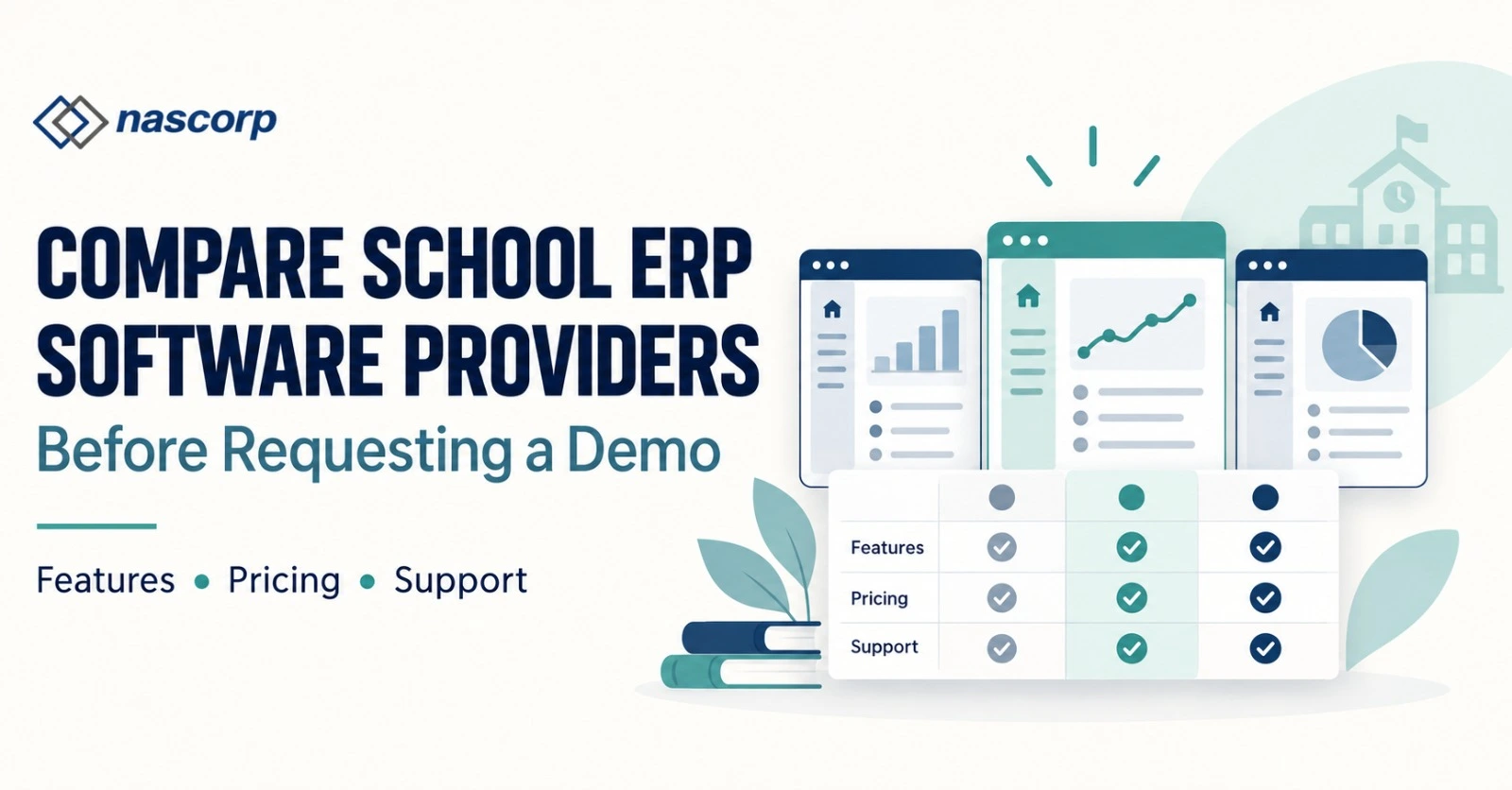
Compare School ERP Software Providers Before Requesting a Demo
School ERP Software for 1,000+ Students: The 2026 Buying Playbook for Large Schools
Crossing the 1,000-student mark changes how a school should purchase technology. The challenge is no longer limited to replacing registers or digitising a few office activities. A large institution has to coordinate hundreds of daily users, thousands of transactions, multiple approval levels and time-sensitive communication with families. A system that works well in a small setup may struggle when fee deadlines, examination processing and parent access occur at the same time.
This buying playbook approaches School ERP software for 1,000+ students from the perspective of a school leadership team preparing to make a commercial decision. It does not begin with a conventional list of modules. Instead, it explains when a large school is ready to buy, how to prepare an RFP, what to test during demonstrations, which contractual details require attention and how success should be measured after launch.
Eight Signs Your Large School Has Outgrown Its Current System
A purchase decision becomes easier when management can clearly describe the cost of the present situation. The following signals indicate that the institution may need a more capable platform:
- Different departments maintain conflicting versions of student information.
- Management waits for staff to manually compile routine reports.
- Fee reconciliation requires repeated spreadsheet work.
- Teachers record information digitally but still submit paper summaries.
- Parents depend on calls or messaging groups for routine updates.
- Examination teams spend excessive time consolidating marks.
- The current system slows down during admissions, fee deadlines or result publication.
- A new campus cannot be added without creating another isolated database.
These problems are not merely inconvenient. They increase administrative cost, reduce confidence in reports and make future growth harder. A modern school management software for large schools should be purchased against these specific problems so the institution can later verify whether the investment produced improvement.
Establish the Buying Committee Before Evaluating Products
Large-school software affects several departments, so the decision should not belong to one person. Create a small buying committee with clearly defined responsibilities.
| Committee member | Contribution to the decision |
|---|---|
| Director or management representative |
Business priorities, budget and final approval |
| Principal | Academic requirements and policy alignment |
| Administrator | Student records and daily operational processes |
| Accounts representative | Fee rules, reconciliation and financial reports |
| Teacher representative | Practical usability and workload impact |
| IT coordinator | Access, integrations, security and technical coordination |
The committee should agree on five non-negotiable outcomes before speaking to vendors. Examples may include reducing fee-report preparation time, eliminating duplicate student entries, improving parent access, accelerating result preparation or obtaining branch-wise management visibility.
This step prevents product demonstrations from becoming feature tours. Every presentation can be judged against the same institutional outcomes.
Prepare a One-Page ERP RFP for Your School
An RFP does not have to be a lengthy corporate document. A focused one-page brief can help providers prepare a relevant response and a realistic commercial proposal.
Information to Include in the RFP
- Current and expected student strength.
- Number of campuses, wings and academic boards.
- Approximate staff and parent user count.
- Existing software and major operational complaints.
- Five mandatory outcomes approved by management.
- Systems that may require integration.
- Historical information under consideration.
- Preferred implementation window.
- Required support hours and escalation expectations.
- Format requested for commercial pricing.
Send the same brief to each shortlisted provider. This creates a fairer comparison and reduces vague quotations.
Prepare your large-school ERP requirement brief.
Convert Requirements Into Testable Acceptance Criteria
Requirements such as “the system should be fast” or “reports should be flexible” are difficult to evaluate. Convert them into actions that the buying committee can observe.
| Vague expectation | Testable acceptance criterion |
|---|---|
| Fast student search | Find a record using admission number, name and parent phone |
| Flexible fee management |
Create a concession, reverse a receipt and regenerate the ledger |
| Easy attendance | Complete attendance for one class from a teacher login |
| Useful reporting | Filter, drill down and export a management report |
| Good mobile app | Open a receipt and report card using a parent account |
| Strong control | Demonstrate who can edit, approve and view sensitive data |
This approach makes a School ERP software demo for large schools evidence-based. The committee can record whether each provider passed, partially passed or failed the agreed tests.
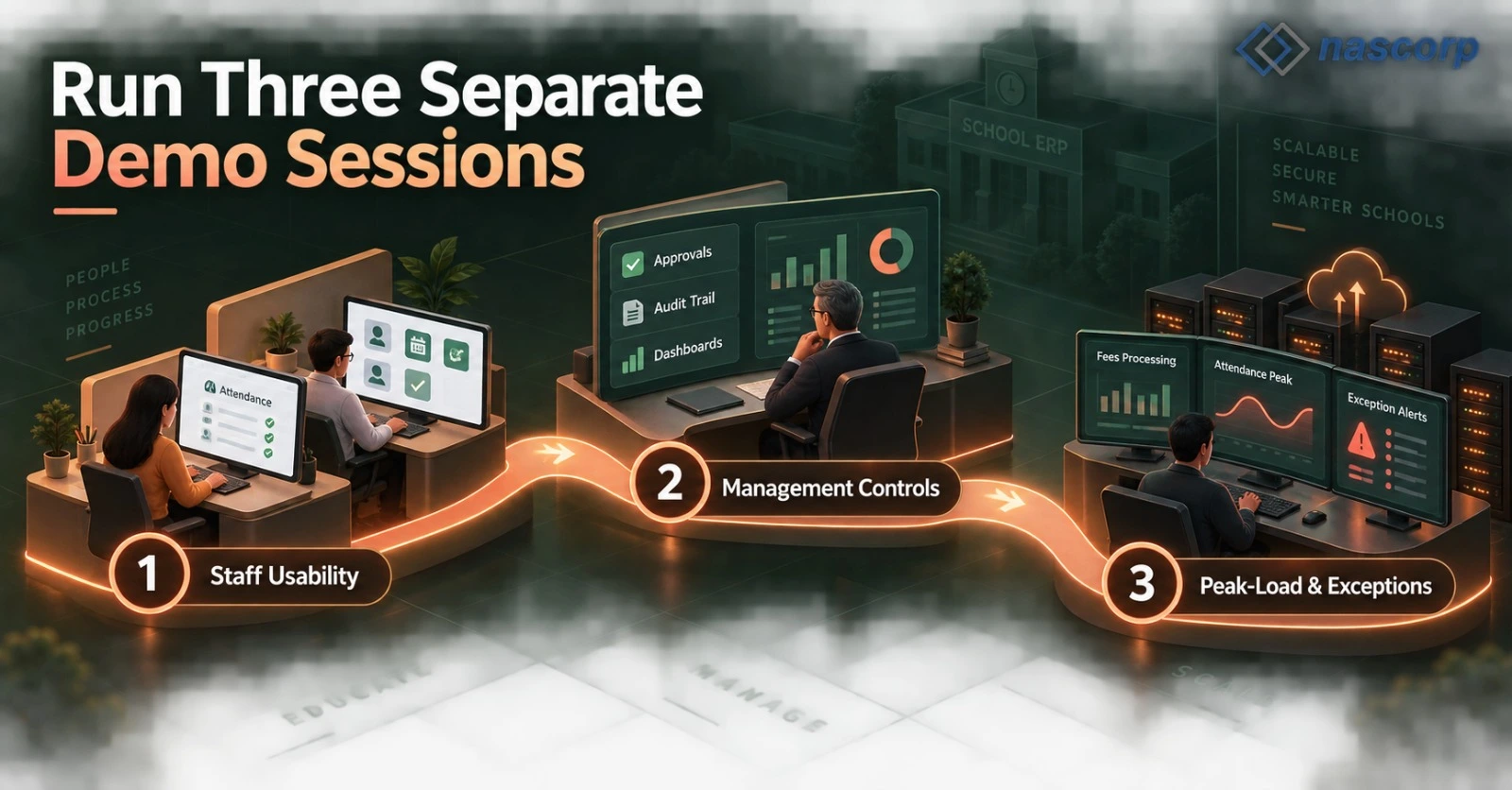
Run Three Separate Demo Sessions
One long demonstration often overwhelms decision-makers and gives departments too little time to test their concerns. Large schools can obtain better evidence through three focused sessions.
Session 1: Staff Usability
Ask office users and teachers to complete typical tasks. Observe the number of steps, clarity of labels, error messages and reliance on the trainer. If trained vendor staff must constantly explain a basic action, everyday adoption may be difficult.
Session 2: Management Controls
This session should concentrate on approvals, dashboards, alerts, audit history and exports. Management should see how a summary connects to underlying records and whether branch, class or date filters produce useful answers.
Session 3: Peak-Load and Exception Review
Discuss the periods when the school experiences maximum activity. These may include admission deadlines, monthly fee due dates, morning attendance and result publication. Ask for evidence of how the platform manages concurrent activity and what monitoring or escalation is available.
The final session should include unusual cases: a reversed online payment, an incorrect marks upload, a duplicate applicant, a mid-session withdrawal and a user who attempts an unauthorized action. Exception handling often separates a mature system from an attractive interface.
Capacity Metrics Worth Discussing With Providers
Providers may avoid fixed performance guarantees because infrastructure and internet conditions vary. Even so, a large school should ask concrete capacity questions.
| Capacity area | Question for the provider |
|---|---|
| Concurrent usage |
How is performance managed when office staff, teachers and parents access the system together? |
| Report volume | How are institution-wide reports generated and monitored? |
| Record growth | What happens when active and historical data increases each year? |
| File storage | Are documents, photos and attachments limited? |
| Notifications | Are there sending limits, queues or separate usage charges? |
| Backup recovery |
How frequently are backups created and how is restoration handled? |
Do not accept invented percentages or unverified claims. Request a clear explanation, relevant references or a controlled test using representative data.
Get a School ERP Quotation for 1,000+ Students
Evaluate the School ERP With Parent Mobile App as a Separate Product
The mobile experience should not be treated as a small add-on to the web system. In a 1,000-student school, the parent application may become the most frequently used interface associated with the institution.
When assessing a School ERP with parent mobile app, create test accounts for families with one child and multiple children. Check sign-in recovery, notification history, fee information, receipts, homework, documents and academic results. Repeat the test on both Android and iOS if both are promised.
Also ask who is responsible for app-store maintenance, operating-system compatibility and branded updates. A mobile application that works during the sales demo but receives limited maintenance can become a major support problem later.
Teacher and management applications should be assessed independently. Teachers need speed and simplicity, while leaders require selective dashboards and approvals. Giving every user the same crowded interface usually reduces adoption.
Build a Comparable School ERP Pricing Model
Quotations are difficult to compare when providers use different units. One may charge per student, another by module and another through a fixed annual plan. Build a comparison model that separates fixed, variable and optional costs.
Pricing Comparison Framework
| Cost type | Examples | Buying implication |
|---|---|---|
| Fixed annual cost | Core licence, hosting and standard support |
Predictable recurring expense |
| Enrolment-linked cost |
Per-student or student-band licence | Changes as enrolment grows |
| Usage-linked cost | SMS, WhatsApp or payment transactions |
Depends on activity volume |
| One-time cost | Initial setup, migration and launch training |
Concentrated in the first year |
| Optional cost | Custom reports, devices or new integrations |
Requires separate approval |
For realistic School ERP pricing for 1,000+ students, model at least three enrolment scenarios: current strength, ten percent growth and an additional campus. This reveals whether the selected commercial model remains practical as the institution expands.
Request a Decision-Ready School ERP Quotation for 1,000 Students
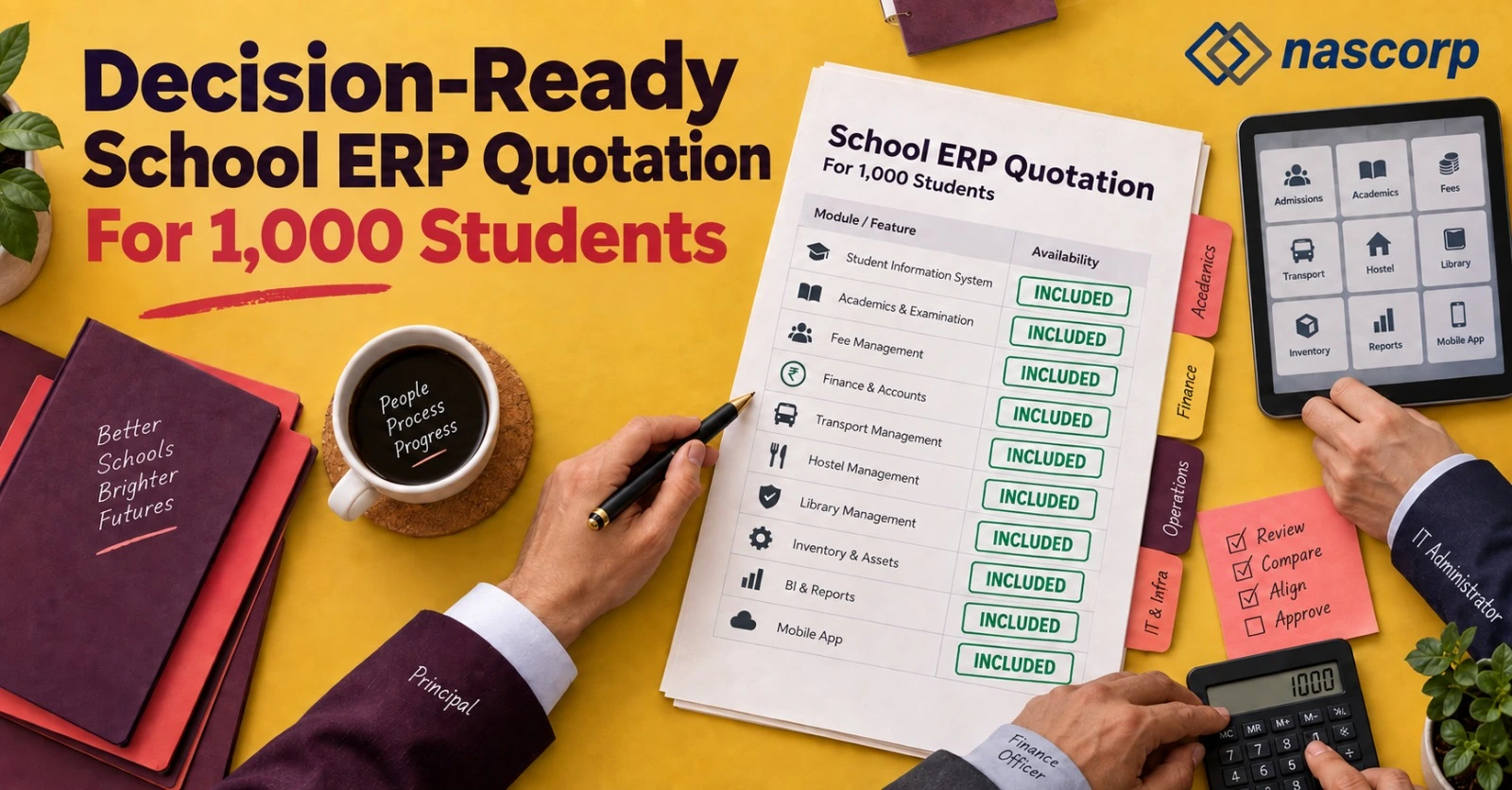
A School ERP quotation for 1,000 students should allow a committee to make a decision without depending on verbal promises. Ask for the commercial proposal in a fixed format containing the following sections:
- Licensed student band and user conditions.
- Included functions and excluded functions.
- Mobile applications and supported user types.
- Setup and configuration responsibilities.
- Training quantity and delivery method.
- Data work included in the commercial scope.
- Hosting, storage and backup conditions.
- Standard support and paid support options.
- Integration and usage-based expenses.
- Renewal terms and data-exit assistance.
Ask each provider to mark items as included, optional or not available. This simple rule prevents ambiguous phrases such as “complete package” from controlling the comparison.
Get a decision-ready ERP quotation.
Contract Clauses That Deserve Management Attention
The contract is as important as the demonstration. The buying committee should review the following areas before approval:
Data Ownership and Export
The institution should understand who owns the records and how they can be exported. Specify usable formats, expected assistance and any applicable charges.
Support Scope
Define what counts as an incident, configuration request, training request and customization. Confirm available channels, hours and escalation contacts.
Third-Party Dependencies
Payment gateways, messaging providers, biometric devices and GPS services may have separate agreements. Identify responsibility for each dependency and the impact of a third-party outage.
Renewal and Expansion
Record the renewal basis and how pricing changes if enrolment grows or a branch is added. Avoid depending entirely on future verbal negotiation.
Transition Assistance
The agreement should describe the support available if the school later changes platforms. Clear transition terms reduce the risk of vendor lock-in.
Design a 90-Day School ERP Implementation Plan
Effective School ERP implementation services should produce a sequence of controlled decisions rather than an immediate institution-wide launch. The exact timeline depends on scope, but a 90-day framework can help buyers understand the work involved.
| Period | School-side priorities | Provider-side priorities |
|---|---|---|
| Days 1–15 |
Confirm owners, rules and master-data sources |
Conduct discovery and configure the base environment |
| Days 16–30 |
Review configurations and clean required records |
Prepare forms, permissions and preliminary reports |
| Days 31–50 |
Perform user testing and document issues |
Correct configuration and support pilot tests |
| Days 51–65 |
Approve validated data and nominate super users |
Conduct controlled import and role-based training |
| Days 66–80 |
Run parallel checks and readiness review |
Resolve launch blockers and prepare support coverage |
| Days 81–90 |
Approve launch and monitor adoption | Support go-live and maintain an issue register |
The table is a planning model, not a promise that every deployment should take exactly 90 days. Complex integrations, poor data quality or broad customization may require a different schedule.
Make Data Migration a Verification Project
Treat School ERP data migration services as a verification exercise with measurable acceptance rules. Instead of requesting that “all old data” be moved, prepare a migration inventory.
For each dataset, record the source, owner, approximate count, required historical period and validation method. For example, student profiles may be checked through record totals and random samples, while opening fee balances should be reconciled to an approved financial statement.
Do not place every old field into the new system merely because it exists. Obsolete or inconsistent information can reduce confidence in the new platform. The school should decide what must be operational, what should remain in an accessible archive and what can be securely excluded.
A trial migration should be reviewed by departmental owners. Their signed observations should become the correction list for the final transfer. The school must also keep a secure copy of the original source information according to its policies.
Plan for Multi-Campus Growth Before It Happens
A single-campus school may still need to examine Multi-branch School ERP software if expansion is part of its three-year strategy. Adding this consideration early is less disruptive than replacing the platform after opening another location.
Ask providers to demonstrate how branch codes, academic calendars, fee policies, user permissions, and consolidated reports are organised. Test whether a leader can view all campuses while a branch employee remains restricted to the assigned location.
The commercial proposal should state the cost and implementation process for a future branch. It should also clarify whether the parent and staff applications can present the correct campus identity.
Calculate a Practical ERP Business Case
The buying committee can estimate value without making unrealistic revenue claims. Focus on measurable effort, error reduction and service improvement.
Example Business-Case Measures
- Staff hours spent creating recurring management reports.
- Manual entries required to complete one admission.
- Time between fee collection and an updated management summary.
- Time required to prepare examination results.
- Parent requests for receipts, dues or routine notices.
- Duplicate or incomplete records detected each month.
- Support issues caused by disconnected applications.
Record a baseline before implementation and review it after 30, 90 and 180 days. The comparison will show whether the system is improving operations or simply moving existing work to another screen.
Final Vendor Selection Matrix
| Selection factor | Maximum score |
|---|---|
| Pass rate on acceptance tests | 25 |
| Staff usability | 15 |
| Large-school capacity confidence |
15 |
| Commercial transparency | 10 |
| Mobile application quality | 10 |
| Implementation capability | 10 |
| Migration verification approach | 5 |
| Support and contract clarity | 10 |
| Total | 100 |
Ask every committee member to score independently before the final discussion. Differences in scoring often reveal issues that would otherwise remain hidden.
Questions School Leaders Frequently Ask
1. When should a 1,000-student school replace its existing software?
Replacement should be considered when the present system creates duplicate work, unreliable reports, poor adoption, serious performance issues or blocks planned growth.
2. How many providers should be shortlisted?
Three serious providers are usually enough for a controlled comparison. A very large list can consume time without improving decision quality.
3. Should the school issue the same RFP to every provider?
Yes. A common requirements brief makes demonstrations and quotations easier to compare.
4. Can a demo confirm real performance?
A demo provides evidence but not certainty. Use representative scenarios, request references and discuss how production performance is monitored.
5. Why should teachers join the evaluation?
Teachers can identify whether high-frequency activities are practical. Their input reduces the risk of low adoption after purchase.
6. Should pricing be compared per student?
Per-student comparison is useful only after normalising modules, services, apps and recurring expenses across providers.
7. What is the purpose of an external link in a quotation?
The signed or approved commercial document should contain the actual scope. Important conditions should not exist only on a webpage that can change later.
8. How should mobile apps be tested?
Use parent and teacher test accounts on real devices. Test sign-in, notifications, documents and multiple-child access.
9. Is customization always beneficial?
No. Configuration of normal school policies is useful, but excessive custom development can increase cost and make future upgrades harder.
10. What makes implementation fail?
Common causes include unclear ownership, delayed decisions, poor data, insufficient testing and launching too many functions at once.
11. What should a migration inventory contain?
It should list each dataset, source, owner, approximate record count, required period and validation method.
12. Should old information remain available after migration?
Required history should remain accessible either in the new system or a controlled archive, depending on operational and policy needs.
13. How can a school reduce vendor lock-in?
Clarify data ownership, export formats, transition assistance and third-party dependencies in the agreement.
14. What should be measured after go-live?
Measure task time, report availability, record quality, user adoption, parent self-service and unresolved support issues.
15. Is School ERP software for 1,000+ students suitable for future branches?
It can be, provided the school verifies branch configuration, permissions, consolidated reporting, and commercial expansion terms before purchase.
Conclusion
Choosing School ERP software for 1,000+ students requires disciplined procurement rather than a quick feature comparison. A large school should establish a buying committee, create acceptance tests, run focused demonstrations, standardise quotations and review contract conditions. Implementation and migration should have named owners and measurable acceptance rules. After launch, management should assess operational results rather than assume software usage automatically equals improvement.
Nascorp Technologies provides School ERP solutions for private, CBSE, large and multi-campus schools. To request a tailored demonstration and commercial proposal, visit Nascorp Technologies or submit your requirements through the School ERP demo and quotation page. Call +91 9212871807 for a requirements discussion.
Request a personalized School ERP demo and module-wise quotation for your large school.