Group Communication System ERP Software for Schools.
Group Communication System ERP Software helps schools manage communication between administrators, teachers, students, and parents from one centralized platform. Instead of relying on separate WhatsApp groups, phone calls, emails, and paper notices, schools can use a School ERP communication system to send announcements, alerts, reminders, and updates to the right group at the right time.

What is a Group Communication System in School ERP?
A Group Communication System in School ERP is a centralized communication module that lets authorized school users send announcements, reminders, and notifications to selected groups, such as classes, sections, parents, teachers, and departments.
Typical groups include:
- Class/section parents (e.g., “Class 5-A Parents”)
- Students by class or activity
- Teaching and non-teaching staff
- Departments (Examination, Transport, Sports, Accounts)
- Custom groups (PTM attendees, bus route users, event volunteers).
Messages can be delivered via in-app notifications, push notifications, SMS, email, or dashboard alerts—depending on the ERP’s configuration.
Why Do Schools Need Group Communication Software?
Schools juggle timetable changes, exam schedules, fee reminders, event notices, and emergency alerts daily. Traditional channels create noise and missed information:
- WhatsApp threads bury important messages
- Paper circulars get lost
- Emails go unread
- Phone calls consume staff time
A centralized ERP communication system:
- Targets the right audience (class, department, route)
- Reduces repetitive manual work
- Improves parent–teacher engagement
- Keeps an organized record of what was sent, when it was sent, and to whom.
Key Features of Group Communication System ERP Software.
1. Group-based messaging
Send one message to a class, section, department, or custom group instead of individuals.
2. Parent–teacher communication
Share homework updates, meeting reminders, and classroom notices through a formal channel rather than personal chats.
3. School-wide announcements
Broadcast holidays, PTM schedules, exam timetables, admission notices, and emergency closures to the entire community.
3. Class and section targeting
Notify only Class 8-A without disturbing other classes—improving relevance and reducing notification fatigue.
5. Staff/internal communication
Create groups for teachers, coordinators, admin, accounts, transport, and support staff to streamline internal coordination.
6. Push notifications + SMS + email
Use mobile push for urgent updates, SMS for fee reminders, and email for detailed circulars—based on your ERP setup.
7. Scheduled messages
Prepare and schedule exam reminders, fee due dates, event announcements, and holiday messages in advance.
8. Role-based access
Teachers message their assigned classes; admins message the whole school. Permissions prevent unauthorized broadcasts.
9. Communication history and audit trail
Track past messages, recipients, timestamps, and delivery status for accountability and compliance.
10. Multi-language and accessibility
Reach non-English-speaking parents with translated announcements where supported.
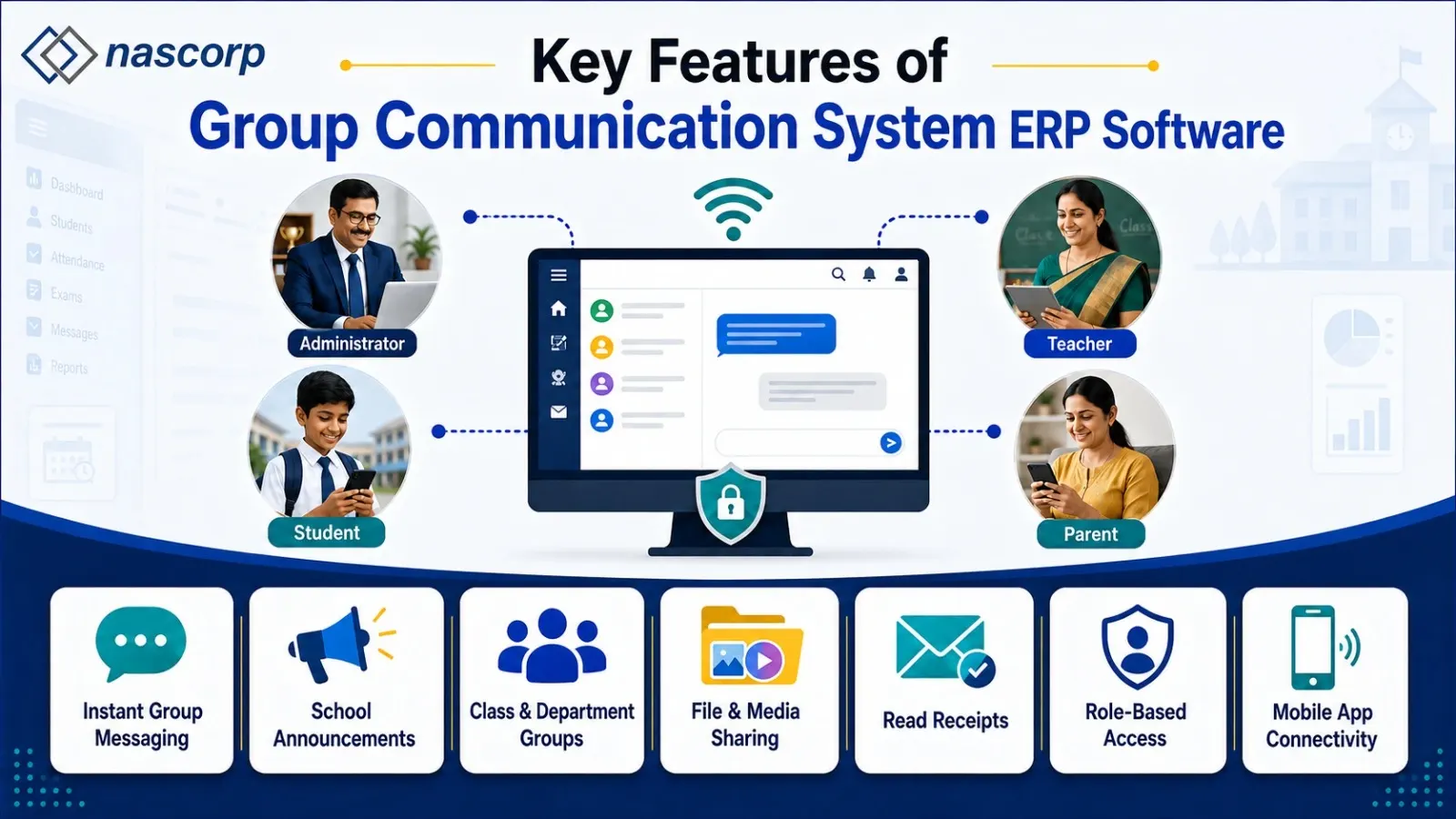
Benefits of Group Communication for Schools
- Faster communication: Reach hundreds or thousands instantly without manual calling.
- Better parent engagement: Parents get timely, organized updates in one place.
- Reduced admin workload: Bulk and scheduled messaging cut repetitive tasks.
- Improved transparency: Clear flow of information on exams, fees, attendance, and events.
- Scalability: Works equally well for 500 or 5,000 students.
How Does Group Communication Software Work?
- Create groups (classes, sections, departments, activities).
- Map users automatically from ERP data (students, parents, staff).
- Draft a message (announcement, reminder, alert).
- Select audience (class, section, department, whole school).
- Choose channel(s) (app push, SMS, email).
- Send or schedule for a specific date/time.
- Track and archive communication history.
Common Uses of Group Communication in Schools
- Examination notifications: Dates, practicals, admit cards, results.
- Fee reminders: Automated payment alerts to relevant parents.
- Attendance alerts: Low-attendance warnings or daily summaries.
- Event notifications: Annual functions, sports days, trips, workshops.
- PTM scheduling: Reminders with venue and time slots.
- Emergency communication: Sudden closures, weather alerts, safety notices.
- Transport updates: Route changes, bus timings, pickup/drop alerts.
- Academic updates: Homework, project deadlines, syllabus changes.
Group Communication vs Traditional School Communication
Traditional school communication relies on multiple disconnected channels—WhatsApp groups, personal messaging apps, email, paper circulars, and phone calls—creating fragmented, hard-to-track interactions. A centralized School ERP with group communication consolidates all messaging into one secure, role-based ecosystem, automating workflows and ensuring the right information reaches the right audience at the right time.
Key Differences: Traditional vs ERP-Based Group Communication
| Aspect | Traditional Communication | Group Communication ERP |
|---|---|---|
| Channels |
Multiple disconnected platforms (WhatsApp, email, paper, SMS) |
Centralized single platform |
| Group Management |
Manual, ad-hoc group creation |
ERP-based, data-driven groups (class, section, department) |
| Tracking | Difficult to track or audit messages |
Organized communication records with history |
| Administrative Effort | High—repetitive manual messaging | Automated workflows and triggers |
| Information Loss | Messages easily lost in scattered threads | Centralized notifications, searchable archive |
| Access Control | Limited role-based control | Permission-based, role-specific communication |
| Integration | Standalone, no connection to school data | Integrated with attendance, fees, exams, transport, etc. |
| Integrated with attendance, fees, exams, transport, etc. | Poor for large schools | Built for multi-class, multi-section, multi-branch institutions |
Secure Group Communication for Schools
School communication often involves sensitive student, parent, and academic data. A reliable School ERP should provide:
- User authentication and role-based access (admin, teacher, parent, student)
- Permission controls to define who can send messages and to which groups
- Secure data handling with encrypted storage and audit trails
- Communication policies that specify acceptable use, message types, and group access rules
This reduces dependency on personal messaging apps like WhatsApp, which lack institutional control and data security.
Mobile-First Communication for Parents and Teachers
Modern parents and teachers expect real-time updates on their smartphones. A School Mobile App integrated with ERP communication A School Mobile App integrated with ERP communication can deliver push notifications for:
- Attendance alerts (absent/late notifications)
- Homework and assignment updates
- Examination schedules and results
- Fee reminders and payment receipts
- School events, circulars, and announcements
- Parent-teacher meeting invites
- Transport/bus route updates
Teachers can also send class-specific messages, homework reminders, or meeting requests directly from their mobile app, improving convenience and making communication easier for teachers and parents.
Group Communication Software for Schools in India.
Schools in India often manage communication across multiple classes, sections, departments, and parent groups. A centralized Group Communication System can help CBSE, ICSE, international, and private schools manage announcements, attendance alerts, fee reminders, examination updates, PTM notifications, and school events from one platform. For schools serving parents with different language preferences, multilingual communication can also make important updates easier to understand.
How Group Communication Drives Digital School Transformation
Digital transformation goes beyond digitizing paper records—it connects all school processes into an integrated digital environment. An ERP with group communication links messaging to other modules
Attendance →
Depending on the ERP configuration, attendance data can be used to trigger parent notifications through supported communication channels.
Fee management →
Automated reminders: Overdue fee status triggers personalized payment reminders to parents.
Examination module →
Result alerts: Parents receive instant notifications when report cards or mark sheets are published.apple+1
Transport module →
Bus tracking updates: Real-time bus location or delay alerts sent to parents.
This integration eliminates manual follow-ups, reduces administrative workload, and creates a connected school management system.
Why Integrated ERP Communication Outperforms Standalone Messaging
A communication platform becomes significantly more powerful when connected to the school's existing data. Instead of maintaining separate contact lists, the ERP uses real-time student, parent, teacher, class, and staff information already in the system.
Example: When a student moves from Class 6 to Class 7, their parent is automatically associated with the new class group—no manual list updates required.
This dynamic group management reduces administrative effort and ensures communication accuracy.
Group Communication for CBSE and Private Schools
CBSE and private schools manage structured academic calendars, multiple departments, assessments, co-curricular activities, and frequent parent interactions. A centralized communication system supports these requirements.
Enabling class/section-specific announcements
Supporting department-wise communication (academics, transport, fees)
Facilitating event-based messaging (sports day, annual function, exams)
Providing multilingual support (Hindi/English notifications).
For large schools, scalability is critical—an ERP that works for 500 students should also support 5,000+ with multiple branches and user roles.
How to Select the Best Group Communication ERP Software
Before choosing a School ERP with group communication, evaluate the complete platform, not just the messaging feature. Key questions to ask
- Does it support class and section-based communication?
- Can administrators create custom groups (e.g., sports team, debate club)?
- Can teachers communicate with assigned parents only?
- Does it provide mobile app notifications (iOS/Android)?
- Does it support SMS, WhatsApp, and email integration?intelcampus+1
- Are communication permissions role-based?
- Can the system maintain communication history for audit trails?
- Is the platform scalable for large schools?
- Can it integrate with attendance, fees, examinations, and student records?
- Is data migration available from legacy systems?
- Is technical support provided during and after implementation?
- Can the ERP be customized according to school requirements?
Request a live demonstration to see how the communication module works in real-world scenarios.
Future of Group Communication in School ERP
The future of school communication is moving toward integrated, automated, mobile-first, and intelligent platforms. Emerging trends include:
- AI-assisted communication: Auto-translate messages into Hindi/regional languages, summarize long announcements, and draft routine notifications.
- Event-triggered alerts: Attendance, fee, exam, or schedule events automatically trigger relevant notifications.
- Smart scheduling: Administrators can schedule messages for specific dates/times (e.g., fee reminders on the 1st of every month).
- Deep linking: Notifications include direct links to fee receipts, attendance records, or result pages for one-tap access.
The goal is not to send more messages—but to deliver the right information to the right audience at the right time.
Frequently Asked Questions (FAQs)
1. What is a Group Communication System in School ERP?
A centralized module that allows authorized users to send announcements, notifications, reminders, and updates to selected groups (classes, sections, parents, teachers, departments).
2. Why Do Schools Need Group Communication Software?
To manage large-scale communication efficiently, reduce repetitive manual messaging, improve parent engagement, and ensure important information reaches the right audience.
3. Can Teachers Communicate with Parents Through School ERP?
Yes—based on permissions, teachers can message parents of assigned students about homework, meetings, announcements, and academic updates.
4. Can a School ERP Send Messages to an Entire School?
Yes—administrators with appropriate permissions can send school-wide announcements to all students, parents, teachers, and staff.
5. Can Schools Create Different Communication Groups?
Yes—groups can be based on classes, sections, departments, staff roles, activities, transport routes, or other institutional needs.
6. Does School ERP Support Mobile Communication?
Most modern ERPs include mobile apps (iOS/Android) for parents, students, teachers, and admins to receive notifications and access communication features.
7. Can Schools Schedule Communication Messages?
Yes—many ERPs allow scheduling announcements and reminders for specific dates/times.
8. Is Group Communication Better Than WhatsApp Groups for Schools?
Yes—ERP-based communication provides institutional control, integration with student records, role-based permissions, and audit trails, reducing dependency on personal messaging apps.
9. Can Group Communication Be Used for Fee Reminders?
Yes—when integrated with fee management, schools can send automated, personalized fee reminders and payment notifications.
10. Can Schools Send Emergency Announcements Through ERP?
Yes—authorized admins can distribute urgent alerts to selected groups or the entire school community instantly.
11. Is Group Communication Useful for Large Schools?
Yes—it's especially valuable for large institutions, enabling admins to communicate with predefined groups instead of contacting users individually.
12. How Can a School Implement Group Communication ERP Software?
Steps include: identifying communication requirements, defining user groups/permissions, selecting suitable ERP modules, migrating data, configuring workflows, training users, and launching in phases.
Conclusion
A reliable Group Communication ERP transforms school communication by replacing scattered channels with a centralized, secure, and integrated system. When connected to attendance, fees, exams, transport, and mobile apps, it becomes more than a messaging tool—it becomes the backbone of a connected digital school.
For CBSE, private, and large schools, choosing a scalable ERP with role-based permissions, mobile notifications, communication history, and automation reduces administrative workload, improves parent engagement, and creates a transparent, efficient school environment.
Schools evaluating ERP solutions should look beyond basic messaging and prioritize integration, security, scalability, mobile support, and intelligent automation. The right ERP helps schools communicate smarter—not just more.
Looking for a complete School ERP with group communication, parent engagement, academic management, attendance, fees, examinations, and mobile app features? Explore an integrated ERP solution designed to simplify school operations and strengthen communication across your entire institution.


