Student Management Software for Schools with ERP Mobile App
Managing student information is one of the most important parts of running a modern school. From admission and student registration to attendance, academic records, examinations, fees, communication, and parent engagement, schools handle a large volume of information every day.
When these activities are managed through paper registers, Excel spreadsheets, or disconnected software, it can become difficult to maintain accurate records and provide information quickly. A centralized Student Management Software for Schools with ERP & Mobile App helps bring these activities together on one digital platform.
A modern student management solution allows schools to manage student information throughout the academic lifecycle while connecting administrators, teachers, students, and parents. With School ERP integration and mobile access, schools can move beyond basic record-keeping and create a connected digital environment for everyday operations.
Whether it is a single-campus school, a private school, a CBSE/ ICSE school, or an organization operating multiple branches, the right student management platform can help reduce administrative workload, improve data accessibility, and simplify communication.
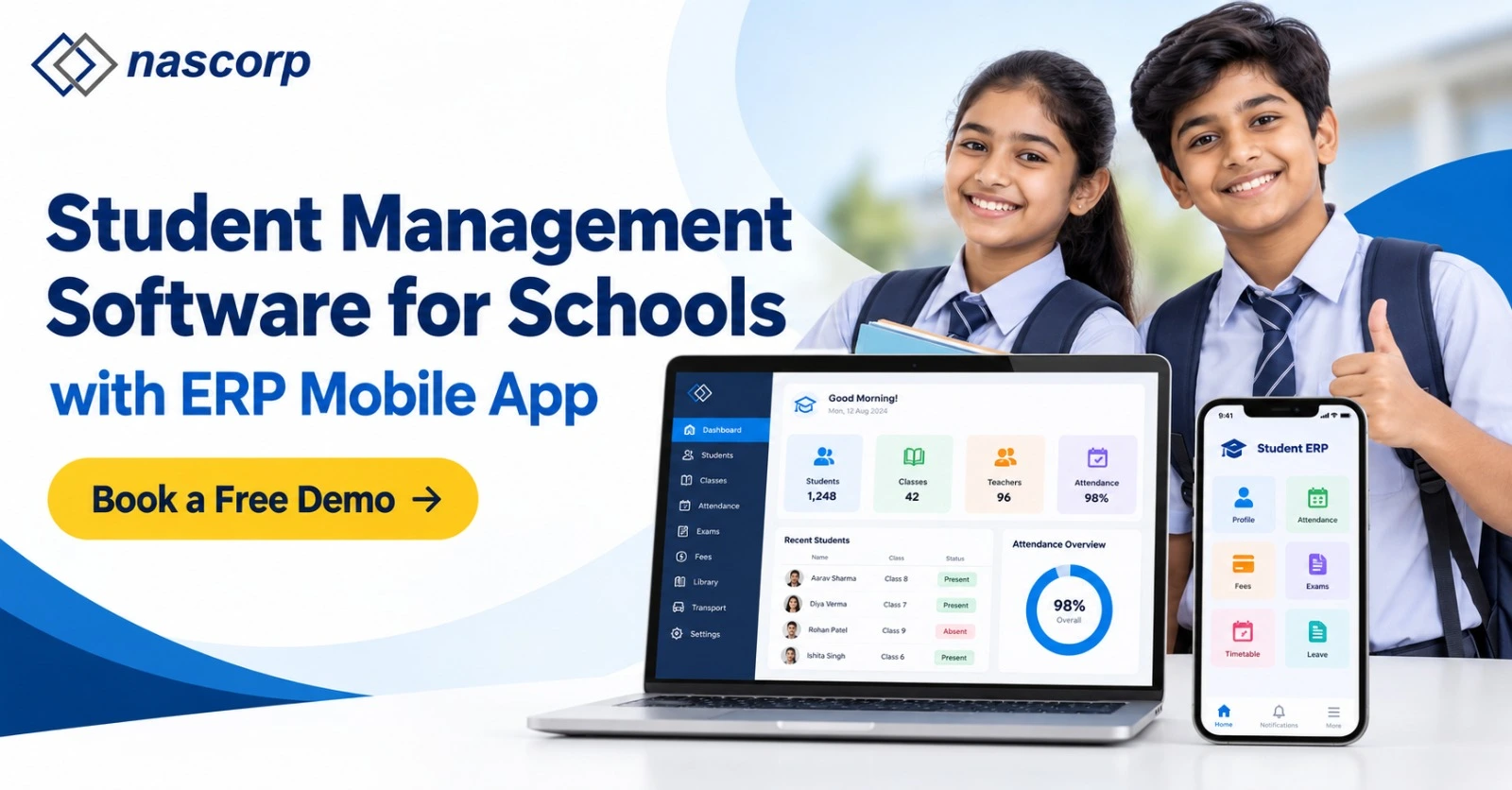
What Is Student Management Software for Schools?
Student Management Software is a digital platform that helps schools collect, organize, update, and manage student-related information from a centralized system.
Instead of maintaining separate physical files or spreadsheets for different departments, schools can manage important student information through one platform.
A complete Student Management Software for Schools can include:
- Student profile management
- Student admission management
- Parent and guardian information
- Class and section management
- Student attendance
- Academic records
- Examination results
- Report cards
- Student documents
- Fee information
- Homework and assignments
- School communication
- Transport information
- Student performance records
The primary objective is to provide authorized users with accurate and easily accessible student information.
Why Do Schools Need a Student Management System?
Schools generate a large amount of student data every academic year. Managing this information manually can consume significant administrative time.
A traditional system may require staff to maintain:
- Admission forms
- Student registers
- Attendance registers
- Academic records
- Examination spreadsheets
- Fee records
- Student documents
- Parent contact lists
- Transfer records
As the number of students increases, maintaining all this information manually becomes more difficult.
A Student Management System centralizes these records and allows authorized users to access relevant information through a structured digital platform.
This can help schools reduce repetitive data entry, minimize paperwork, improve record organization, and generate reports faster.
How Does School Student Management Software Work?
School Student Management Software works as a centralized database and management platform for student-related activities.
The process can begin when a student submits an admission application. Once admission is confirmed, the student's information can be converted into a digital profile.
That profile can then be connected with different School ERP modules.
For example:
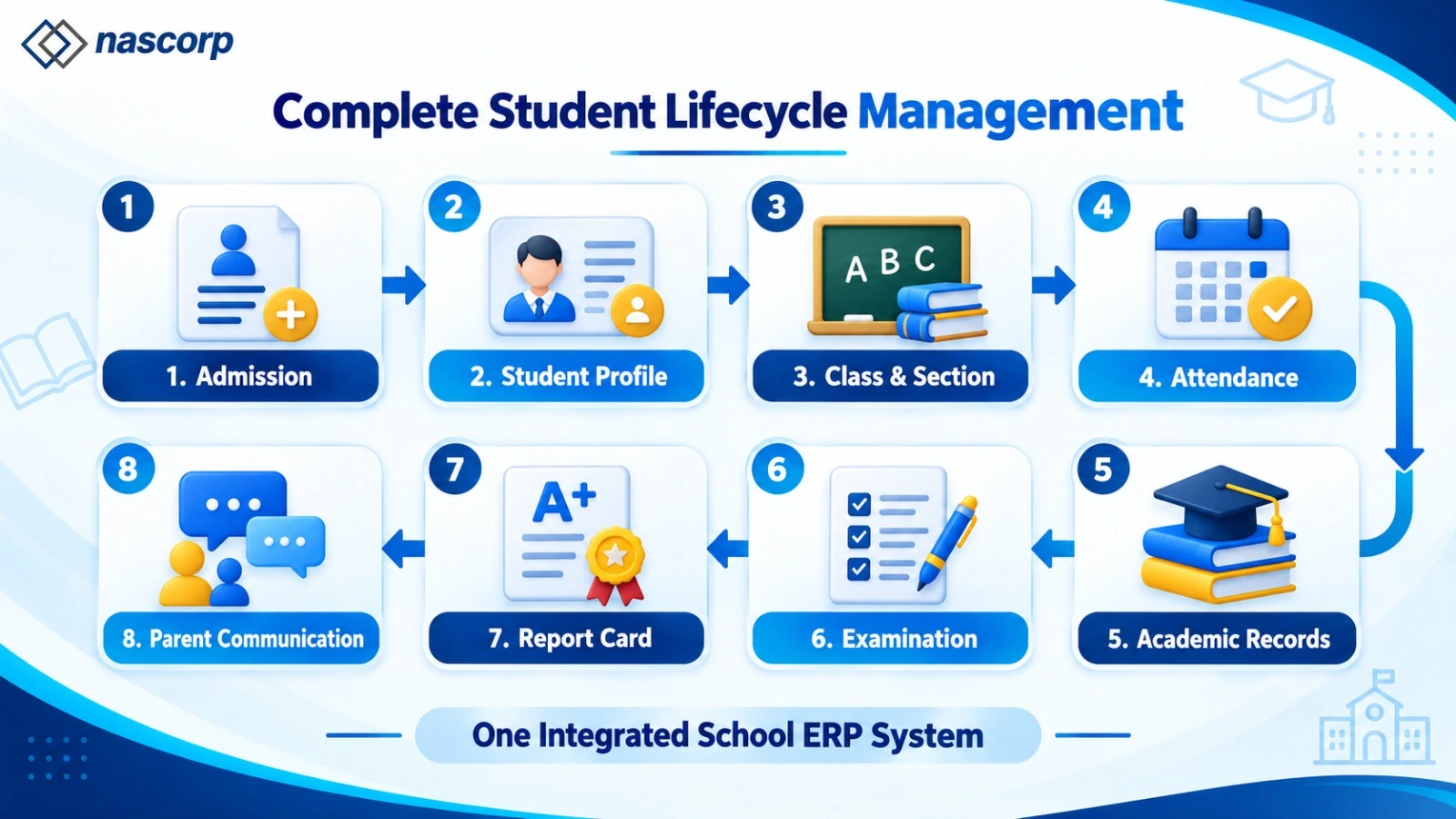
Admission → Student Profile → Class & Section → Attendance → Academic Records → Examination → Report Card → Parent Communication
This connected workflow means the same student information does not have to be entered repeatedly into multiple systems.
Different users can access the information according to their responsibilities and permissions.
For example, teachers may access attendance and academic information, accountants may access relevant fee records, administrators may manage student profiles, and parents may view their child's information through the mobile application.
Book a Free Demo Today & See How Our School ERP Works
Student Information Management System for Schools
A Student Information Management System provides a structured way to store and manage student information throughout the academic lifecycle.
Instead of keeping information separately with different departments, schools can create a centralized student profile.
A student profile may contain:
- Personal information
- Parent information
- Contact details
- Admission number
- Roll number
- Class and section
- Academic session
- Previous academic information
- Attendance
- Examination results
- Documents
- Transport details
This centralized approach makes it easier for authorized staff to find and update information.
It can also help management maintain more consistent student records across different academic sessions.
Student Information System for Schools
A Student Information System for Schools should support more than storing names and contact details.
Modern schools need a system that can connect student information with other operational areas.
For example, student information can be connected with:
- Attendance Management
- Fee Management
- Examination Management
- Timetable Management
- Homework Management
- Transport Management
- Communication Management
- Library Management
- Report Generation
This creates a more complete School ERP ecosystem where student information becomes available to relevant departments.
Student Admission and Management Software
Admission is the first major stage in a student's relationship with a school.
Student Admission and Management Software can help digitize the admission journey from enquiry to enrollment.
The system can help schools manage:
Admission Enquiries
Schools can record information about prospective students and parents.
Online Applications
Parents can submit admission information digitally where online admission functionality is enabled.
Document Collection
Required student documents can be recorded and managed through the system.
Application Verification
Administrators can review and verify submitted information.
Student Registration
Once admission is confirmed, student information can be converted into an official student profile.
Class Allocation
Students can be assigned to appropriate classes and sections.
This reduces the need to repeatedly enter the same information into separate systems.
Student Database Management Software
As schools grow, their student database can contain thousands of records.
Student Database Management Software helps organize these records in a structured format.
Administrators can search student information using details such as:
- Student name
- Admission number
- Registration number
- Class
- Section
- Academic session
- Parent name
This can make information retrieval significantly easier than searching through physical files or multiple spreadsheets.
A centralized database can also help schools maintain historical student information for future reference.
Student Record Management Software
A student's academic journey produces records across multiple years.
Student Record Management Software can help schools maintain these records in an organized digital environment.
Depending on the ERP configuration, records can include:
- Admission information
- Student profile
- Attendance
- Examination results
- Academic performance
- Certificates
- Documents
- Fee information
- Transfer details
- Parent information
Maintaining digital records can make it easier for authorized administrators to retrieve information when required.
Talk to Our ERP Experts & Get the Right Solution for Your School
Online Student Management System
An Online Student Management System allows schools to access student-related functions through an internet-connected platform.
This can be particularly useful for administrators and management who need access to school information outside the traditional school office environment.
With an online system, authorized users may be able to access:
- Student profiles
- Attendance reports
- Admission information
- Academic records
- Examination reports
- Fee information
- Management dashboards
The exact accessibility depends on the ERP's architecture, user permissions, security controls, and internet connectivity.
Cloud-Based Student Management Software
Cloud-based student management software stores application data and services on cloud infrastructure rather than relying entirely on local school computers.
For schools, cloud deployment can provide advantages such as:
- Remote accessibility
- Centralized data management
- Easier scalability
- Simplified updates
- Reduced dependence on local servers
- Access across multiple devices
- Support for multiple branches
Cloud-based architecture is especially useful for school groups that need to manage student information across different campuses.
However, schools should always evaluate data security, access controls, backup practices, support, and the provider's infrastructure before selecting a cloud ERP.
Student Management Software with Mobile App
Parents and teachers increasingly expect school information to be accessible from smartphones.
Student Management Software with Mobile App extends the School ERP beyond the desktop environment.
A mobile application can provide role-based access to parents, teachers, students, and management.
Parent Mobile App
Parents may be able to access:
- Student attendance
- Homework
- Assignments
- Examination results
- Fee information
- Notices
- Circulars
- School events
- Academic updates
Teacher Mobile App
Teachers can use mobile access for functions such as:
- Attendance
- Homework
- Assignments
- Academic activities
- Student information
- Communication
Management Mobile Access
School management can use mobile dashboards and reports to monitor important operational information.
This makes the School ERP more accessible and connected.
Student Management Software with Parent App
Student Management Software with Parent App can improve communication between schools and families.
Instead of depending entirely on paper notices, phone calls, or physical visits, schools can communicate important updates through a centralized digital platform.
Parents can receive information related to:
- Attendance
- Homework
- Examination
- Fees
- Announcements
- Circulars
- Events
- Academic activities
The parent app can therefore become an important communication channel between the school and parents.
Student Attendance Management Software
Attendance is a daily activity for every school.
Student Attendance Management Software allows teachers and administrators to manage attendance digitally.
Depending on the school's requirements and ERP integrations, attendance may be recorded through:
- Teacher mobile app
- Web ERP
- Biometric devices
- RFID systems
- Other integrated attendance systems
The system can generate:
- Daily attendance reports
- Monthly attendance reports
- Student-wise attendance
- Class-wise attendance
- Section-wise attendance
- Absence reports
- Attendance percentage
Parents can also receive attendance updates through the mobile application when the functionality is enabled.
Student Academic Record Management Software
Academic information should be maintained throughout the student's school journey.
Student Academic Record Management Software can help schools organize information such as:
- Subjects
- Marks
- Grades
- Assessments
- Examination results
- Academic performance
- Report cards
Instead of maintaining separate spreadsheets for each examination, schools can manage academic information within the School ERP.
This also makes it easier to generate student-wise and class-wise academic reports.
Student Management System for Multiple Branches
Managing students becomes more complex when a school organization operates multiple campuses.
A Student Management System for Multiple Branches can provide a centralized platform where every branch maintains its own student information while head-office management can access consolidated information.
For example, a school group operating five campuses can maintain:
- Branch-wise student records
- Branch-wise admissions
- Branch-wise attendance
- Branch-wise academic records
- Branch-wise examination results
- Branch-wise fee information
At the same time, authorized head-office users can access consolidated reports.
This is particularly useful for growing educational organizations.
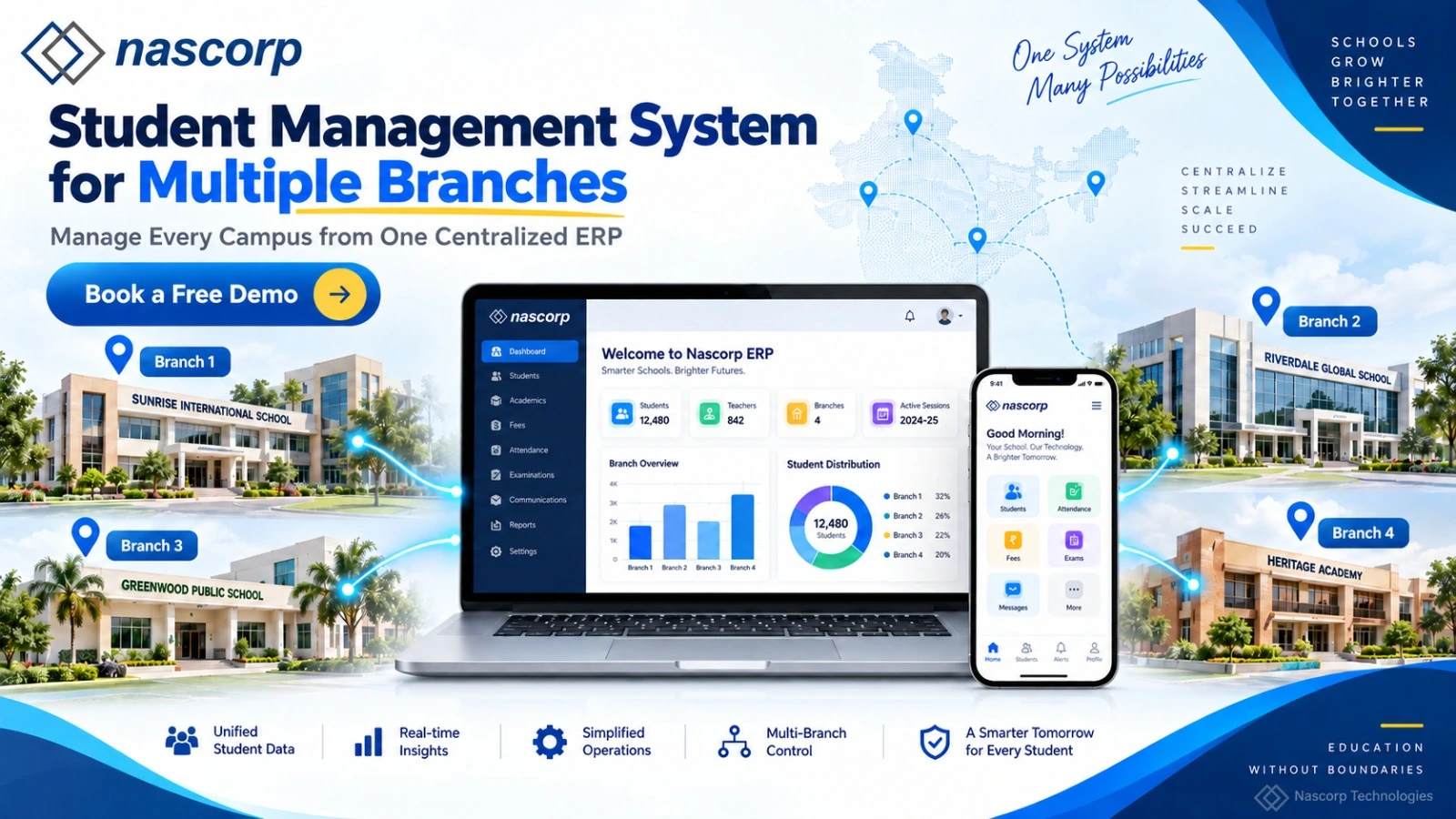
Centralized Student Management System
A Centralized Student Management System creates a common digital environment for managing student information across departments or branches.
The head office can monitor overall student strength, while branch administrators can manage their respective campuses.
For example, management can view:
| Information | Branch Level | Central Management |
|---|---|---|
| Student Records | Own Branch | All Branches |
| Admissions | Branch-Wise | Consolidated |
| Attendance | Branch-Wise | Consolidated |
| Academic Results |
Branch-Wise | Comparative |
| Fees | Branch-Wise | Consolidated |
| Reports | Branch Reports |
Organization Reports |
This structure gives schools a balance between centralized control and branch-level administration.
Multi-Branch Student Management Software
Multi-Branch Student Management Software is designed for school groups that operate multiple campuses.
A suitable system should provide role-based access so that branch users can access their own data while authorized management users can monitor information across the organization.
For example:
Head Office: All branches
Branch Principal: Own campus
Teacher: Assigned classes and students
Accountant: Relevant financial information
Parent: Own child's information
This approach helps schools maintain data separation while still benefiting from centralized management.
Benefits of Student Management Software for Private Schools
Student Management Software for Private Schools can help institutions digitize administrative processes and improve communication with parents.
Important benefits include:
Reduced Administrative Work
Digital workflows can reduce repetitive paperwork and manual record maintenance.
Faster Information Access
Authorized users can search student information quickly.
Better Data Organization
Student information can be stored in a structured digital database.
Improved Parent Communication
Mobile applications can provide parents with timely school updates.
Better Academic Tracking
Schools can maintain attendance, marks, grades, and examination results in one system.
Centralized Reporting
Management can generate reports without collecting separate spreadsheets from departments.
Multi-Branch Management
School groups can manage different campuses from a centralized ERP environment.
School ERP Integration with Student Management
Student management becomes more powerful when it is integrated with a complete School ERP.
Instead of operating as a standalone system, student information can connect with different modules.
Fee Management
The student profile can be connected with fee structures, payments, receipts, dues, and concessions.
Examination Management
Student records can connect with examinations, marks, grades, and report cards.
Attendance Management
Daily attendance can be associated with individual student profiles.
Communication
Schools can send targeted notifications based on student, class, section, or branch.
Transport Management
Student profiles can be associated with routes and transportation information where required.
Library Management
Library transactions can be linked with student accounts.
This integration creates a connected school management environment.
How to Choose the Best Student Management Software for Schools
Selecting the right platform requires evaluating both features and implementation capabilities.
1. Check Core Student Management Features
Make sure the platform can handle admissions, student profiles, attendance, academic records, examinations, documents, and reporting.
2. Evaluate Mobile Applications
Check whether the system provides appropriate mobile access for parents, teachers, students, and management.
3. Check Multi-Branch Support
If the school has multiple campuses or plans to expand, confirm that the ERP supports branch-wise data and centralized reporting.
4. Evaluate Data Security
Check role-based access, authentication, backup practices, permissions, and other security measures.
5. Check Data Migration
If existing information is stored in Excel or another ERP, understand how the provider handles data cleaning, mapping, migration, and validation.
6. Evaluate Customization
Schools may need customized report cards, fee structures, workflows, dashboards, and reports.
7. Check Technical Support
Implementation does not end when the software goes live. Training and ongoing technical support are important for successful adoption.
8. Evaluate Scalability
The platform should be able to support increasing student numbers, additional users, and new branches.
Student Management Software Implementation Process
Implementing a student management platform requires more than creating user accounts.
A structured implementation can include:
Requirement Analysis
The ERP provider understands the school's existing processes and requirements.
System Configuration
Academic sessions, classes, sections, users, permissions, fee structures, examinations, and other settings are configured.
Data Migration
Existing student data is cleaned, mapped, validated, and migrated.
User Training
Teachers, administrators, accountants, and management receive training based on their roles.
Testing
Important workflows are tested before the system goes live.
Go-Live
The ERP becomes operational for regular school activities.
Post-Implementation Support
Technical assistance helps users resolve operational issues and manage future requirements.
How Student Management Software Improves School Administration
The biggest benefit of student management software is not simply digitizing student records. It is connecting information with everyday school operations.
For example, when a student is admitted, the same profile can support attendance, academic records, examination results, communication, and other relevant processes.
This reduces the need to repeatedly enter identical information into different systems.
For administrators, this can mean less paperwork.
For teachers, it can mean easier access to student information.
For parents, it can mean faster access to academic and administrative updates.
For management, it can mean better visibility through centralized reports and dashboards.
Student Management Software and AI-Powered Analytics
Modern School ERP platforms are increasingly adding analytics and automation capabilities.
AI-powered dashboards can help management identify patterns across school data, such as attendance trends, academic performance, admissions, and fee collection.
For example, management may use reports to identify:
- Attendance trends
- Academic performance patterns
- Admission trends
- Fee collection trends
- Branch-level performance
Analytics should support decision-making rather than replace the professional judgment of teachers and school administrators.
Start Your School’s Digital Transformation — Request a Free Demo
Data Security in Student Management Software
Student information can contain personal, academic, and contact information, so schools should carefully evaluate data protection practices before selecting an ERP.
Important areas to evaluate include:
- Role-based permissions
- User authentication
- Controlled access
- Secure data transmission
- Data backup
- Administrative permissions
- Activity monitoring
Schools should also establish internal policies explaining who can access, modify, export, or share student information.
A secure ERP requires both appropriate technology and responsible user practices.
Why Choose Nascorp Technologies for Student Management Software?
Nascorp Technologies provides School ERP and mobile application solutions designed for schools and educational institutions.
Its platform brings different school operations into a connected digital environment, including student management, attendance, fees, examinations, communication, reporting, and mobile access.
For schools, the goal should not simply be to replace paper records with software. The objective should be to create a scalable system that connects students, teachers, parents, administrators, and management.
Nascorp can support schools with ERP implementation, data migration, configuration, training, customized reports, mobile applications, and ongoing technical assistance.
Schools looking for Student Management Software for Schools with ERP & Mobile App can explore the Nascorp Technologies School ERP platform and evaluate its features according to their requirements.
Frequently Asked Questions About Student Management Software
1. What is Student Management Software?
Student Management Software is a digital platform that helps schools manage student profiles, admissions, attendance, academic records, examinations, documents, communication, and other student-related information from a centralized system.
2. What is the difference between Student Management Software and School ERP?
Student Management Software focuses primarily on student-related information and processes. School ERP is a broader platform that can integrate student management with fees, attendance, examinations, HR, payroll, transport, communication, library, accounts, and other school operations.
3. Can Student Management Software manage student admissions?
Yes. A complete Student Admission and Management Software solution can support enquiries, applications, registration, document management, verification, admission processing, and student profile creation.
4. Can schools manage attendance through Student Management Software?
Yes. Student Attendance Management Software allows authorized teachers or staff to record and manage attendance digitally and generate student-wise, class-wise, and branch-wise reports.
5. Can parents access student information through a mobile app?
Yes, when the ERP provides parent mobile access. A Student Management Software with Parent App can allow parents to view information such as attendance, homework, fees, examination results, notices, and academic updates.
6. Is Student Management Software suitable for private schools?
Yes. Student Management Software for Private Schools can help manage admissions, student records, attendance, academics, examinations, communication, and parent engagement through a centralized platform.
7. Can Student Management Software support multiple school branches?
Yes. A Student Management System for Multiple Branches can allow different campuses to manage their own student information while authorized head-office users access centralized reports and dashboards.
8. What is a Centralized Student Management System?
A Centralized Student Management System manages student information from multiple departments or campuses through one digital platform. It can provide branch-wise access along with consolidated management reports.
9. Is Cloud-Based Student Management Software useful for schools?
Yes. Cloud-based deployment can provide centralized access, scalability, remote accessibility, and easier software maintenance. Schools should evaluate security, backup, access controls, infrastructure, and technical support before implementation.
10. Can existing student data be migrated from Excel?
In most structured implementations, existing student information can be migrated from Excel or another system after data cleaning, mapping, validation, and formatting.
11. Can Student Management Software manage academic records?
Yes. Student Academic Record Management Software can maintain subjects, marks, grades, assessments, examination results, academic performance, and report-card information.
12. Can Student Management Software integrate with School ERP modules?
Yes. A comprehensive platform can connect student information with attendance, fees, examinations, communication, transport, library, timetable, and other ERP modules.
13. What features should schools look for in Student Management Software?
Schools should evaluate student profile management, admission, attendance, academic records, examinations, mobile applications, parent access, reporting, data security, data migration, customization, multi-branch support, scalability, and technical support.
14. How does Student Management Software reduce administrative workload?
It can reduce repetitive data entry, paperwork, manual record searching, and separate spreadsheet management by centralizing student information and automating selected workflows.
15. Can Student Management Software be used by teachers and parents?
Yes. With role-based access and mobile applications, teachers can manage relevant academic activities while parents can access information related to their own child.
Conclusion
Student Management Software for Schools with ERP & Mobile App provides a centralized approach to managing student information and connecting it with broader school operations.
From student admission and profile management to attendance, academic records, examinations, fees, communication, and parent engagement, a modern system can bring important processes together on one platform.
For single-campus schools, it can simplify daily administration. For private schools and school groups, it can provide centralized information and scalable management. With multi-branch functionality, schools can maintain branch-level control while giving authorized management users a broader view of the organization.
Combining Student Management Software, School ERP, cloud technology, and mobile applications can help schools reduce paperwork, improve information access, strengthen parent communication, and create a more connected digital school environment.
For schools planning digital transformation, evaluate the right solution not only on its features but also on implementation, data migration, training, security, scalability, customization, mobile access, and long-term technical support.


