Compare School ERP Software Providers Before Requesting a Demo
ERP Software in India for Schools | Demo & Quotation
Managing a modern school involves much more than maintaining student records. Admissions, fee collection, attendance, examinations, report cards, transport, payroll, communication and regulatory reporting must work together every day. When these processes are managed using separate applications, spreadsheets or paper registers, information becomes difficult to verify and administrative work increases.
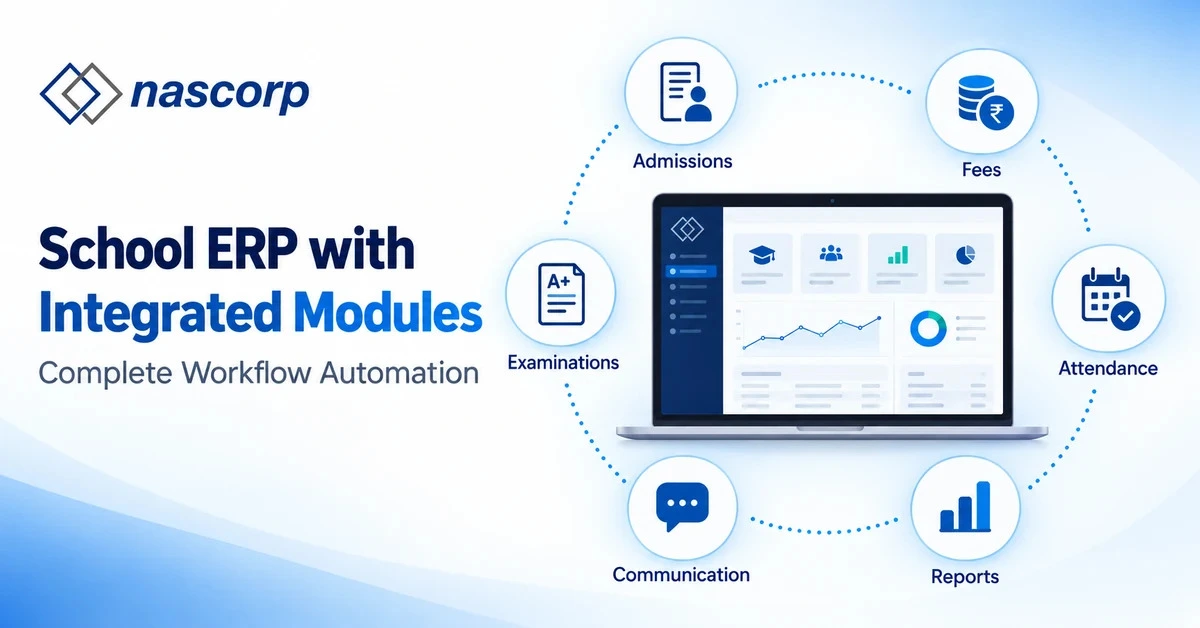
A properly implemented ERP Software in India helps schools connect academic and administrative processes through one centralized platform. Instead of entering the same information repeatedly, authorized staff can use a single student profile across admissions, class allocation, fees, attendance, examinations and communication.
However, schools should not select software based only on an attractive presentation or a long feature list. Decision-makers should compare workflows, implementation support, customization, data migration, mobile applications, security and long-term pricing before requesting a final quotation.
This guide explains how schools can evaluate providers, understand School ERP Software Pricing, request a workflow-based demo and select a platform that suits their present requirements and future growth.
What Is School ERP Software?
School ERP Software is a centralized digital platform that connects different school departments and processes. It provides authorized users with access to relevant information according to their roles and responsibilities.
For example, the admission team can manage enquiries and applications, accounts staff can collect fees, teachers can record attendance and marks, and management can review consolidated reports. When these functions are properly integrated, changes made in one department can automatically update connected records.
A student admitted through the admission module can receive a permanent student profile. That profile can subsequently be connected with the applicable fee structure, class and section, attendance register, transport route, examination records and parent mobile application.
This connected workflow distinguishes an integrated ERP from basic School Management Software that offers isolated digital registers without meaningful data integration.
Why Schools Need ERP Software in India
Schools in India manage complex academic structures, different fee plans, statutory records, examination formats, transport operations and frequent parent communication. As student strength increases, manual coordination becomes difficult.
The right ERP Software in India can help institutions:
- Centralize student and guardian information.
- Reduce duplicate data entry.
- Improve fee collection and dues monitoring.
- Simplify attendance and leave management.
- Generate examination results and report cards.
- Provide parent and teacher mobile applications.
- Manage transport, HR, payroll and inventory.
- Create school MIS and management dashboards.
- Control data access using role-based permissions.
- Maintain reliable records across academic sessions.
Technology alone does not improve school administration. The software must be configured according to the institution’s workflows, and users must understand how to use it correctly. Therefore, implementation quality is as important as software functionality.
Who Should Use School ERP Software?
ERP platforms can support institutions of different sizes, but their configurations should not be identical. The operational requirements of a single-campus primary school are different from those of a multi-branch senior-secondary institution.
School ERP Software for Private Schools
School ERP software for private schools commonly includes enquiry management, online admission, fee collection, concessions, transport, examination management and parent communication.
Private institutions often require flexible fee structures, configurable report cards, mobile applications and fast management reporting. They should evaluate whether the provider can adapt the platform to their actual policies without creating unnecessary technical dependence.
School ERP Software for 1000+ Students
School ERP software for 1000+ students must support high-volume activities without affecting performance. The platform should remain reliable during admission periods, fee deadlines, attendance hours and result publication.
Large schools should test:
- Bulk data processing.
- Simultaneous user access.
- Fee reconciliation.
- Examination result generation.
- Mass communication.
- Mobile-app performance.
- Role and permission management.
- Report-generation speed.
A standard feature demonstration may not reveal scalability problems. Schools should request testing based on realistic data volumes and user workflows.
Multi-Branch School ERP Software
Multi-branch School ERP software allows an educational group to manage multiple campuses through centralized controls while maintaining branch-level permissions.
Management should be able to compare admissions, fee collection, attendance, academic performance and expenses across branches. Each campus should operate independently where necessary, while the central office receives consolidated reports.
The provider should clearly demonstrate how branch transfers, shared employees, centralized fee policies and consolidated MIS reports are managed.
Important Modules in ERP Software for Schools
A school should evaluate modules according to connected outcomes rather than treating each feature independently.
| Module | Primary purpose | Connected outcome |
|---|---|---|
| Enquiry management |
Record prospective-student enquiries |
Admission follow-ups become trackable |
| Admission management |
Process applications and documents |
Approved student profile is created |
| Student information | Maintain centralized records | Departments use consistent student data |
| Fee management | Assign fees and collect payments |
Ledgers, receipts and dues reports are updated |
| Attendance | Record student and employee attendance |
Registers, dashboards and alerts are generated |
| Academics | Manage homework, syllabus and assessments |
Parents and students receive updates |
| Examination | Configure exams and enter marks |
Results and report cards are generated |
| Transport | Manage routes, stops and vehicles |
Students are connected with transport records |
| Communication | Publish notices and alerts | Relevant users receive timely information |
| HR and payroll | Manage employees, leave and salaries |
Administrative and payroll records remain connected |
| MIS reporting | Consolidate operational data | Management receives actionable reports |
A strong ERP Software in India should maintain one approved identity for each student and connect it with the required modules. This reduces mismatched information and helps departments collaborate more effectively.
How Integrated School ERP Workflows Operate
The simplest way to understand integration is to follow a student’s complete journey.
| Stage | Activity inside the ERP | Connected result |
|---|---|---|
| Enquiry | Prospective-student information is recorded |
Admission team schedules follow-ups |
| Application | Form and documents are submitted | Application status becomes trackable |
| Admission | Documents and payment are verified |
Permanent student profile is created |
| Class allocation | Class, section and roll number are assigned |
Student appears in academic records |
| Fee assignment |
Applicable fee plan is selected | Ledger and payment schedule are generated |
| Attendance | Teacher records presence or absence |
Registers and parent alerts are updated |
| Assessment | Marks and observations are entered | Progress information becomes available |
| Examination | Results are reviewed and approved | Report card is generated |
| Communication | Notices and results are published | Parents receive relevant information |
| Reporting | Departmental data is consolidated | Management receives school MIS |
During a School ERP software demo, the provider should demonstrate this complete journey. Opening modules individually does not prove that they exchange information correctly.
School ERP Software With Mobile App
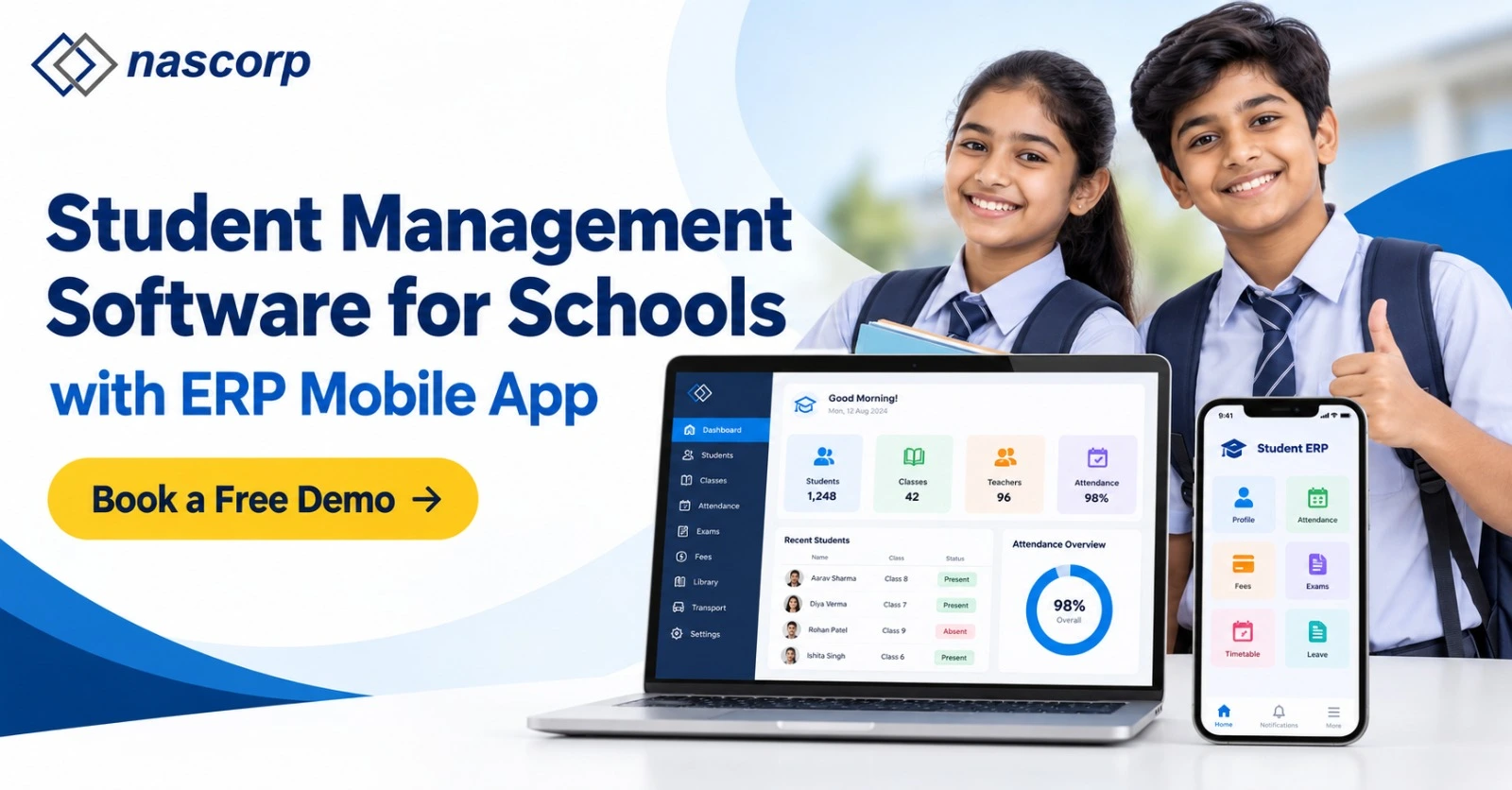
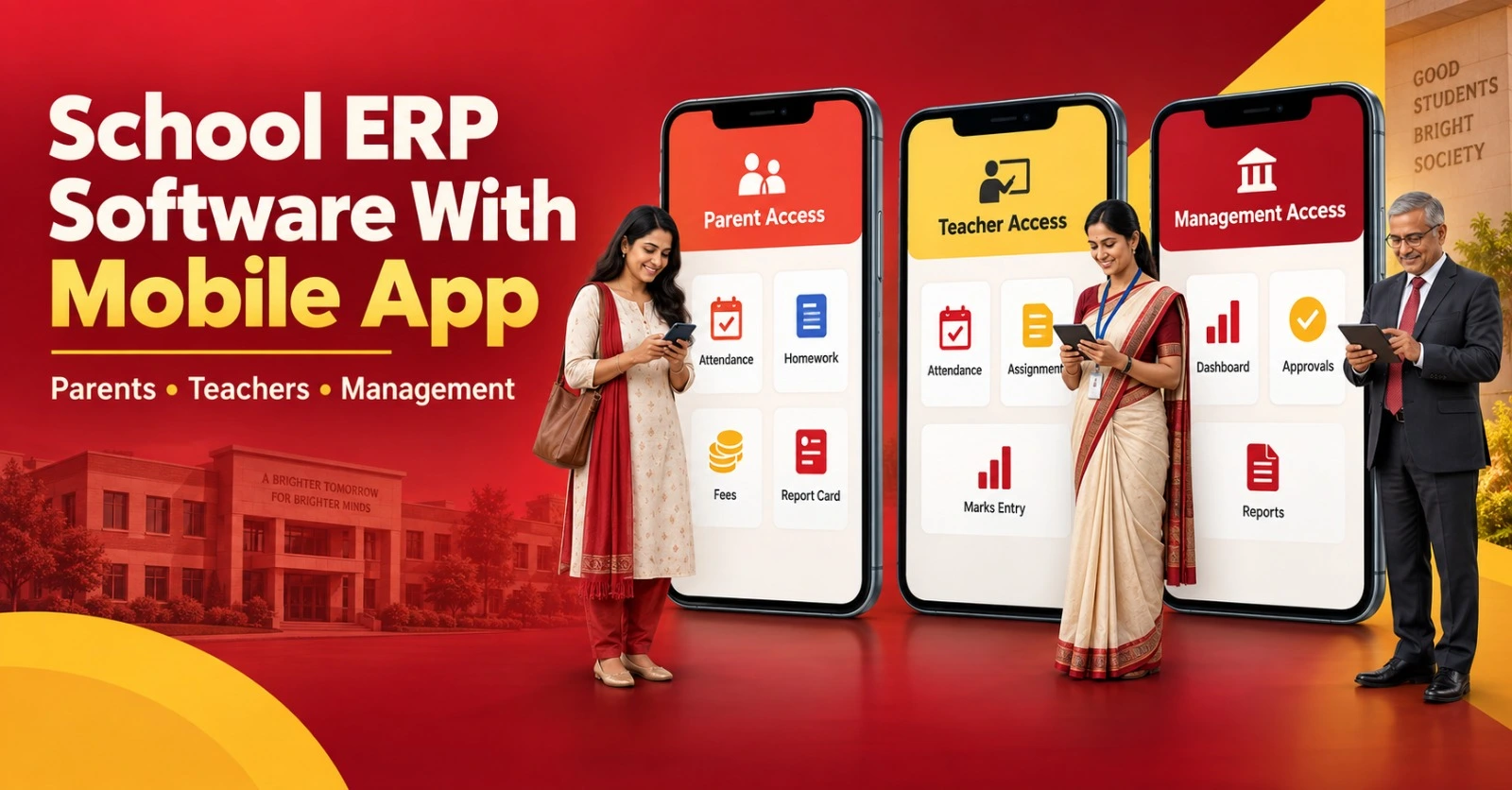
A School ERP software with mobile app should provide relevant and easy-to-understand information to parents, teachers and management.
Parents may need access to attendance, homework, fee receipts, dues, circulars, examinations, report cards and transport updates. Teachers may require attendance, homework, marks entry and communication tools. Management may need dashboards, approvals and reports.
Schools should evaluate the mobile application on actual Android and iOS devices. Important questions include:
- Is the application simple for non-technical users?
- Are notifications delivered reliably?
- Can parents manage multiple children?
- Are permissions different for teachers and parents?
- Can users download receipts and report cards?
- Does the application remain responsive during peak usage?
- Are branding and customization options available?
A mobile application should reduce communication gaps, not create an additional support burden.
How to Compare School ERP Software Providers in India
There are many School ERP software providers in India, but their products, implementation models and support standards differ significantly.
Schools should compare providers across consistent criteria.
| Evaluation factor | What the school should verify |
|---|---|
| Relevant modules | Required academic and administrative modules are available |
| Integration | Information moves correctly between modules |
| Customization | Workflows can match school policies |
| Ease of use | Staff can complete routine work without unnecessary steps |
| Mobile apps | Parent, teacher and management use cases are supported |
| Data migration | Existing records can be mapped and validated |
| Implementation | Configuration, testing and training are included |
| Security | Permissions, backups and activity tracking are available |
| Support | Response channels and escalation procedures are defined |
| Pricing | Initial and recurring costs are transparent |
| Scalability | The system can support more users, students and branches |
The Best School ERP Software in India is not necessarily the product with the largest number of modules. It is the solution that matches the school’s operational requirements, receives consistent user adoption and is supported by a dependable implementation team.
What to Check During a School ERP Software Demo
A School ERP Software Demo should be based on real school workflows. Before the session, the institution should share its student strength, number of campuses, required modules, current challenges and existing software status.
Ask the provider to demonstrate:
- Enquiry-to-admission workflow.
- Student profile creation.
- Class and section allocation.
- Fee-plan assignment and collection.
- Discount, concession and late-fee handling.
- Student and employee attendance.
- Examination configuration.
- Marks entry and approval.
- Report-card generation.
- Parent and teacher mobile apps.
- Transport route allocation.
- Role-based permissions.
- Management dashboards.
- Multi-branch reports.
- Data correction and audit tracking.
A useful School ERP software demo should also show exceptions. Ask what happens when a student changes section, selects a different transport route, receives a fee concession or leaves the school during the session.
Why a Workflow-Based Demo Is Better
A feature-based presentation can make almost every product appear similar. A workflow-based demonstration reveals how many steps users must complete, whether information moves between modules and whether management receives reliable reports.
Schools comparing School ERP Software Providers should provide the same test scenarios to every vendor. This creates a fair comparison and prevents the decision from being influenced entirely by presentation quality.
The school may prepare a simple scoring sheet:
| Demo category | Suggested weight |
|---|---|
| Required modules | 15% |
| Workflow integration | 20% |
| Ease of use | 15% |
| Mobile applications | 10% |
| Reports and dashboards | 10% |
| Data migration | 10% |
| Implementation and training | 10% |
| Support and escalation | 5% |
| Commercial transparency | 5% |
School ERP Software Price in India
The School ERP software price in India varies according to student strength, modules, mobile applications, customization, implementation, migration, integrations and support requirements.
Some providers charge per student, while others offer annual packages, module-based plans or campus-based licensing. A lower initial amount may not represent the total cost if implementation, SMS, payment-gateway integration, mobile apps or support are charged separately.
Common pricing components include:
| Pricing component | Possible charging method |
|---|---|
| Software licence | Annual, monthly or one-time |
| Student usage | Per-student slab |
| Modules | Included package or additional module |
| Mobile application | Included or separately charged |
| Implementation | Fixed setup fee |
| Data migration | Based on volume and complexity |
| Customization | Fixed or effort-based |
| Training | Included sessions or additional charges |
| SMS/WhatsApp usage |
Usage-based |
| Payment gateway | Transaction-based |
| Support | Standard or premium plan |
| Branch addition | Per-campus charge |
School ERP Software Pricing should be evaluated over three years, not only for the first academic session. This helps decision-makers understand recurring costs and avoid unexpected renewal expenses.
How to Request a School ERP Software Quotation
A meaningful School ERP software quotation requires sufficient information about the institution. A generic price shared without requirement analysis may exclude essential services.
Schools should provide:
- Total student strength.
- Number of campuses.
- Classes and sections.
- Required modules.
- Number of users.
- Mobile-app requirements.
- Current software details.
- Data-migration scope.
- Required integrations.
- Custom reports or workflows.
- Preferred implementation timeline.
- Training and support expectations.
The quotation should clearly separate included features, optional modules, implementation charges, migration charges, recurring costs and taxes.
Request a Personalized School ERP Software Demo
Details That Must Appear in the Quotation
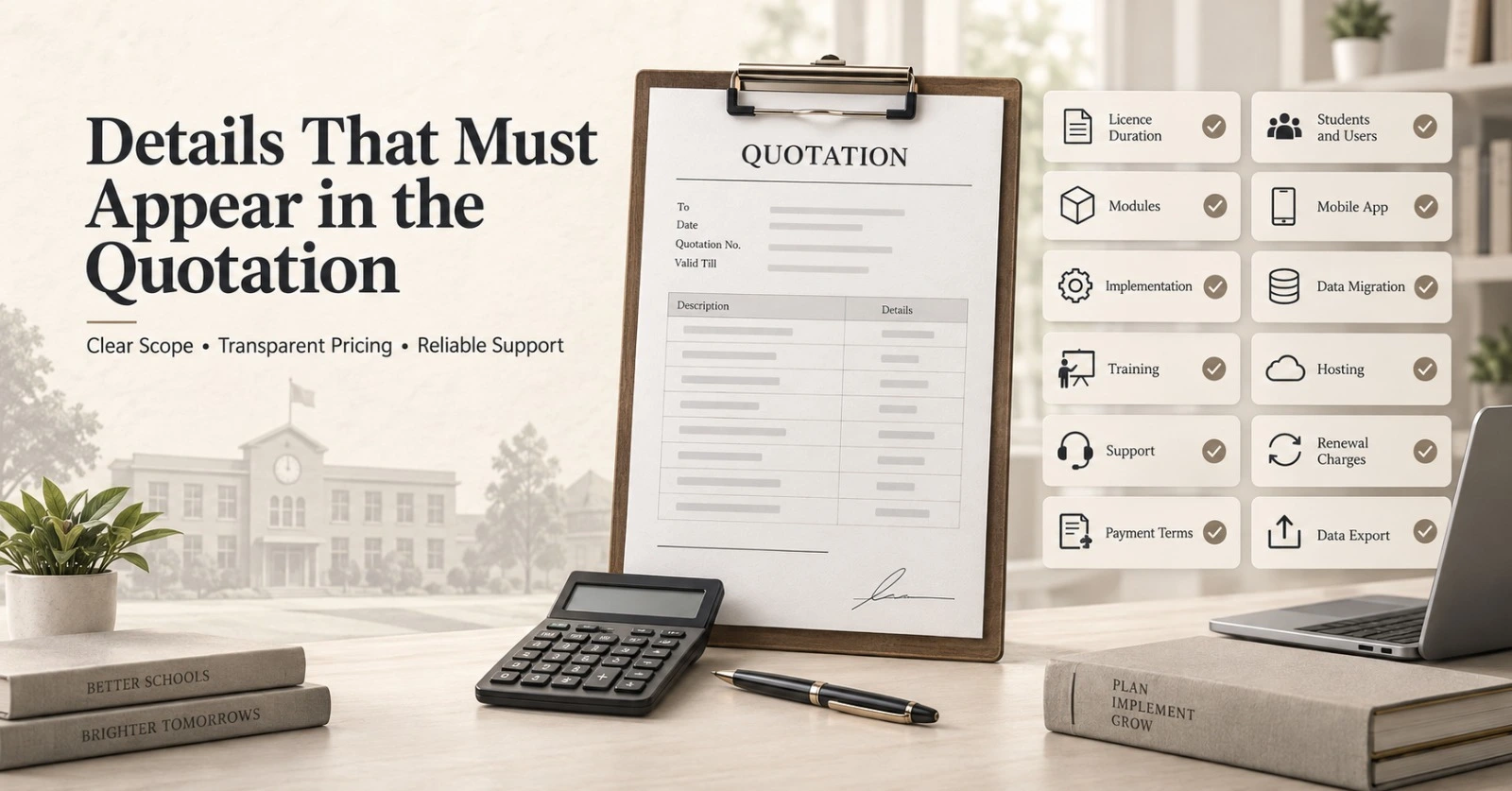
Before approving a proposal for ERP Software in India, verify whether the quotation explains:
- Software licence duration.
- Number of students and users covered.
- Modules included.
- Mobile applications included.
- Implementation responsibilities.
- Data-migration scope.
- Training sessions.
- Customization limits.
- Hosting and backup arrangements.
- Support channels and timings.
- Renewal charges.
- Third-party expenses.
- Payment terms.
- Exit and data-export provisions.
Commercial clarity is essential because different providers may use different package structures.
Get a Module-Wise School ERP Software Quotation
School ERP With Data Migration
A School ERP with data migration service can help a school move from spreadsheets, legacy applications or another ERP platform. Migration should be managed as a structured project rather than a simple file upload.
The process generally includes:
- Identifying available data.
- Selecting records that must be transferred.
- Cleaning duplicate and incomplete information.
- Mapping old fields to the new ERP.
- Running a sample migration.
- Validating totals and individual records.
- Completing the final migration.
- Maintaining an issue and correction log.
- Obtaining school-side approval.
Schools should ask whether historical attendance, fee ledgers, examination results, certificates and employee records can be migrated. The answer will depend on the quality and accessibility of existing data.
School ERP Implementation Process
Successful School ERP implementation requires coordination between the provider and the school. Software installation alone is not implementation.
| Implementation phase |
Major activities | School’s responsibility |
|---|---|---|
| Requirement analysis | Document modules and workflows | Share accurate requirements |
| Configuration | Set up sessions, classes, fees and exams |
Review configured rules |
| Migration | Import and map existing data | Validate samples and totals |
| Testing | Run real workflow scenarios | Report mismatches |
| Training | Train users according to their roles | Ensure staff participation |
| Go-live | Activate approved modules | Follow defined processes |
| Support | Resolve issues and optimize usage | Maintain a clear issue log |
A phased launch is often safer than activating every module simultaneously. The school can begin with student records, fees and attendance before introducing additional processes.
Discuss School ERP Implementation and Data Migration
Security and Role-Based Permissions
School data includes personal, academic and financial information. The selected platform should control who can view, create, modify, approve or export different records.
Schools should evaluate:
- Role-based access.
- User authentication.
- Approval workflows.
- Activity logs.
- Regular backups.
- Data-encryption practices.
- Session controls.
- Permission-based reports.
- Data-export procedures.
- Access removal for former employees.
The provider should explain where data is hosted, how backups are maintained and how records can be obtained if the contract ends.
Common Mistakes While Selecting ERP Software in India
Schools often make purchasing decisions based on cost or feature count without evaluating long-term suitability.
Common mistakes include:
- Selecting the lowest quotation without comparing scope.
- Watching only a standard sales presentation.
- Ignoring data-migration responsibilities.
- Not involving teachers and accounts staff.
- Failing to test mobile applications.
- Assuming every customization is included.
- Not checking renewal charges.
- Ignoring support escalation procedures.
- Launching all modules without adequate testing.
- Using exact feature count as the main comparison criterion.
A structured evaluation helps schools identify practical differences between providers.
How to Select the Best School ERP Software in India
The Best School ERP Software in India should satisfy four conditions:
It Must Match the School’s Workflows
Fee rules, examination formats, approval levels and reporting requirements should reflect actual school policies.
It Must Be Easy for Users
Teachers, administrative employees and parents should be able to complete common activities without extensive technical support.
It Must Include Reliable Implementation
Configuration, migration, testing and training responsibilities should be documented before the project begins.
It Must Offer Transparent Commercial Terms
The school should understand initial charges, recurring costs, optional services and future expansion expenses.
The final decision should balance functionality, usability, service quality, scalability and cost.
Request a Personalized Demo and Quotation
If your institution is evaluating ERP Software in India, begin with a requirement-based discussion instead of requesting a generic price list.
A personalized demonstration can help your team evaluate admissions, fees, attendance, examinations, report cards, transport, communication, HR, payroll and MIS using realistic school scenarios.
Explore School ERP Software With Mobile App
Frequently Asked Questions
1. What is ERP Software in India for schools?
ERP Software in India for schools is a centralized platform that connects student records, admissions, fees, attendance, examinations, transport, communication, HR, payroll and management reporting.
2. How is School ERP different from basic School Management Software?
Basic School Management Software may digitize individual records. An ERP connects departments and allows approved information to move across related workflows.
3. How can we request a School ERP software demo?
Share your student strength, required modules, existing challenges and preferred schedule with the provider. Request a workflow-based School ERP software demo using realistic scenarios.
4. What should be included in a School ERP software quotation?
A School ERP software quotation should specify modules, users, student limits, implementation, migration, mobile apps, support, recurring charges, taxes and payment terms.
5. What is the average School ERP software price in India?
The School ERP software price in India depends on student strength, modules, campuses, integrations, customization, mobile applications and service scope. A requirement-based quotation is more reliable than a generic average.
6. How should schools compare School ERP software providers in India?
Compare School ERP software providers in India using the same workflows, module requirements, migration scope, support expectations and three-year commercial calculation.
7. Which ERP is suitable for private schools?
The right School ERP software for private schools should offer flexible fees, admissions, examinations, report cards, communication, transport and role-based reports.
8. Can an ERP manage more than 1,000 students?
Yes. School ERP software for 1000+ students should be tested for simultaneous access, bulk processing, report speed, fee deadlines and result publication.
9. Can multiple campuses use the same platform?
Yes. Multi-branch School ERP software can provide centralized reporting with branch-level workflows and permissions.
10. Does School ERP include parent and teacher apps?
A School ERP software with a mobile app may offer separate parent, teacher, and management experiences. Schools should confirm whether the quoted package includes mobile apps.
11. Can existing school data be migrated?
Yes. A School ERP with data migration can transfer accessible records after cleaning, mapping, sample testing and school-side validation.
12. How long does School ERP implementation take?
The timeline depends on modules, customization, data quality, campuses and staff availability. A structured School ERP implementation plan should define each phase and responsibility.
13. What factors affect School ERP Software Pricing?
School ERP Software Pricing may be affected by student count, modules, implementation, hosting, migration, customization, integrations, mobile apps and support level.
14. How can we identify the Best School ERP Software in India?
The Best School ERP Software in India is the platform that best matches the school’s workflows, remains easy to use and includes reliable implementation and support.
15. Should a school select the cheapest ERP provider?
Not automatically. Schools should compare the complete scope, recurring cost, migration, support and usability before selecting among School ERP Software Providers.
16. Can a school replace its existing ERP without stopping daily work?
Yes. A phased migration, testing environment, role-based training and temporary read-only access to the old system can reduce disruption.
17. Is a mobile application necessary for every school?
It is not compulsory, but it can improve access to attendance, fees, homework, circulars and results when designed around real parent and teacher needs.
18. What should schools test before finalizing the ERP?
Test connected workflows, data corrections, user permissions, mobile apps, reports, peak-load activities and exception scenarios before signing the agreement.
Conclusion
Selecting ERP Software in India should be treated as an operational decision rather than a simple software purchase. The school must evaluate how effectively the platform connects people, information, and departmental workflows.