School Ticket Management System Software
Digital Ticket Management is a very important area of ERPs installed in schools as it records issues, concerns and problems raised by parents, students, staff and teachers. Managing any issue by raising a Ticket which gives you a ticket ensures that the concern is recorded at the Software end and the time taken to address the issue can be calculated instead of relying on phone calls, emails or DMs which are all dependent on external communications. Here the queries are handled within the software and multiple platforms are not engaged as it is tedious
The system provides a channel of communication between the school and the parents. This also helps in fixing responsibility and taking corrective action. Digital ticket management also helps in escalating the problem to higher levels if the action taken is found to be unsatisfactory or incomplete. Every request is converted into a digital Ticket or unique reference which can be assigned to the concerned department or person, can be tracked for action taken and closed once the issue is resolved. This creates a transparent, responsible and measurable support system for schools.
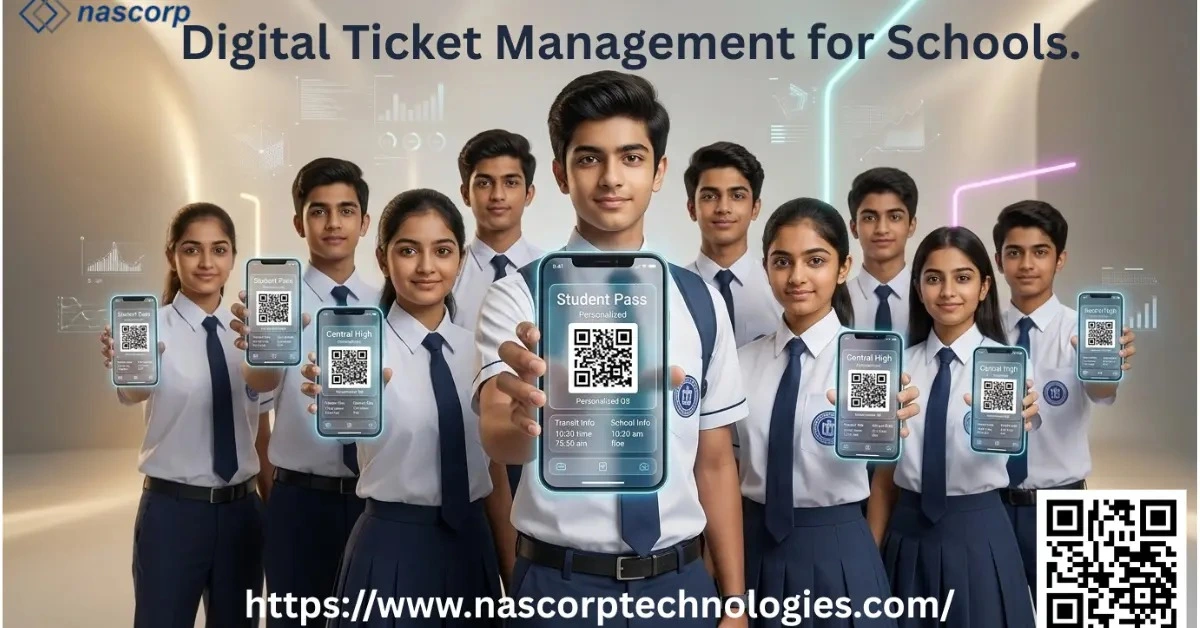
PURPOSE OF DIGITAL TICKET MANAGEMENT
Ticket management can be sub-divided into two types for any school: a) Internal b) external.
| a) | Internal Ticket Management entails queries and issues raised by employees or employers towards any department, person or group regarding day to day matters or important assignments. This helps in fixing responsibility, tracking real progress and controlling mistakes. |
| b) | External Ticket Management is when the parents and students raise queries regarding, Fee, Academics, Transport, Examination, Competitions, Transfer Certificates, Uniforms and Books, etc. Here normally an escalation matrix is provided so that parents and students have more levels to raise matters if satisfactory issue resolution is not provided. |
HOW THE DIGITAL TICKETING SYSTEM WORKS
The system works by a simple work flow starting with a) raising an issue b) categorisation of the issue c) assignment to the concerned department/ employee d) tracking the outcome e) assessing the outcome f) replying to the stake holder g) closure or the same h) incase of non-satisfactory outcome, raising the issue to the next higher level.
| a) | Raising an issue: As described earlier, issues can be internal or external. First would be to categorise the issue as internal or external and creation of a ticket accordingly. |
| b) | Categorisation of the issue: In both the cases ie internal as well as external, the issue needs to be categorised as per pre-defined categories. |
| c) | Assignment: Each issue as per the categorisation needs to be assigned to the concerned Department/ employee for resolution |
| d) | Tracking : At each stage the resolution is tracked to see that it is progressing in the desired direction. If at any stage it is felt that the direction taken by the solution provider is any way from the raised query then necessary caution is to be provided to bring the same on track. |
| e) | Assessment : Once the query is brought to a logical end, it has to be compared with the query to see if the solution provided is fulfilling the query. If yes, the same can be conveyed to the parent or else, the same is started again. |
| f) | Closure: Upon successful solution of the issue, the ticket would finally be closed. |
USAGE OF DIGITAL TICKET MANAGEMENT IN SCHOOLS
This can be used in any functional areas of a school be it parent queries, teacher issues, requests from various departments.
| a) | Academics: Parents can raise queries regarding calculation of marks, rank, attendance, homework, worksheets etc |
| b) | Fee: Discrepancies regarding fee, refunds, concessions, late fee, waivers, optional fee assignments, invoices, receipts etc can be flagged by parents |
| c) | Transport: Transport route details, charges, availing of transport, withdrawal of transport and other enquiries regarding tracking of ward’s buses can all be requested by parents |
| d) | Administrative: Various department can request documents, approvals, procurements, stationery, facilities, etc |
| e) | Maintenance: Requests regarding plumbing, air-conditioning, electrical equipments, furniture, cleanliness, classroom or lab equipments |
| f) | HR & Payroll: Employees can request Pay Slips, leave balances, salary breakup, deductions, absent days, updation of records, etc |
BENEFITS TO SCHOOLS
- Centralized Request Management
All the requests from parents, students, employees get collected at one place and it is easy to assign them to the concerned department
- Improved Accountability
It helps in fixing accountability of tasks assigned.
- Faster Resolution
Raising tickets and assigning them correctly to the correct person or department helps in resolving the issues faster.
- Transparency
Users can see in real time the action being taken and the stage at which the issue is stuck
- Better Communication
Communication between different stake-holders for any issues could be maintained in a central repository thereby helping in communicating accurately
- Performance Monitoring
Management can monitor the following :
- Number of tickets being raised
- Number of repeat tickets
- Average issue resolving time
- Department wise issue resolution history
- Unresolved issues
- Improved Record Keeping
The system maintains an archaic record of all issues and their resolutions, time taken, responded by, client satisfaction and recurrence of the problem.
Simplify School Support With Smart Digital Ticket Management Today
AUTOMATION AND NOTIFICATIONS
A modern ERP-based ticketing system can automate several activities.
For example:
Recording and assigning of auto generated ticket numbers
Transferring issues to concerned department/ persons
Notification for assignments
Escalation to next level for unresolved tickets
Reminders and alerts to keep them aware of the pendency
Alerts to parents/ students on change of ticket status
Automatic or manual closure of tickets upon successful resolution
Recording of User feedback after resolution
PRIORITY AND ESCALATION MANAGEMENT
Since all tickets do not have same level of priority, they can be therefore categorized as:
Critical, High, Medium, or Low
Issues which are to be resolved in a time bound manner for example Report cards of students which need to be printed before the school PTM are considered to be critical as the PTM is pre-planned and informed to the parents.
Issues regarding bugs which affect the outcome of certain modules can be defined as High or medium depending on the module. Finance and Examination modules receive the highest attention as both cater to students and have a bearing regarding the school’s reputation.
Administrative modules which do not affect the parents and students and are used by the office staff or the teaching staff are kept in the medium of low category since the same are handled manually by the concerned staff till the solution is arrived at.
This helps schools ensure that critical issues receive immediate attention.
DASHBOARD AND REPORTING
A management dashboard having information about ticket statuses can provide real-time feedback about the handling of concerns raised by various departments.
Important dashboard indicators may include:
| Indicator | Purpose |
|---|---|
| Total active Tickets | Shows the support being provided and requested |
| Open Tickets | Unresolved or pending requests |
| Overdue Tickets | Tickets which need to be tackled |
| Resolved Tickets | Identify the kind of issues and solutions |
| Average Resolution Time | Measures efficiency |
| Department Performance | Compares performance of specific department |
| Ticket Category | Identifies common problems |
Management can either view the reports on the dashboard or the same can be generated periodically for school management, department heads, and administrators.
INTEGRATION WITH OTHER ERP MODULES
Integrating ticket management with ERP modules provides a clear picture as to the issues raised by each module user and genuine problems faced by them.
Student Information System :
Here problems like incomplete data of a student, photographs not uploaded, documents missing, parents office address or employer information might be requested for completing the module.
Fee Module:
Tickets can be raised by students for wrongly raised invoices for Transport not used, Fee already paid, Optional fee assigned for activities not opted for, etc
HR Module:
In this tickets are generally raised for wrongly calculated salary, pay slip not visible, pay slip components wrongly mentioned, salary deducted for absence, concession on wards fee, tickets raised for laptops, registers, white board markers and so on
Admin and IT :
Employees and students can raise tickets for wrongly assigned bus routes, fee paid but showing unpaid, school app not sending notifications, not able to login to ERP, HW not visible and the issues could be endless
SHORTCOMINGS AND CHALLENGES
Even though Digital ticket management is a highly reliable and efficient method to record, assign and receive the solution to any school related problem, it has its own shortcomings and challenges which are enumerated below:
User Adoption
Employees may resist putting down their problems in black and white as that might offend the department against which it is raised. They may even feel that phone calls, whatsapp or DM might do the job much more quickly than putting it down electronically.
Incomplete Information
Parents and employees might put down incomplete information leading to multiple communications between the department addressed and the affected party to arrive at the actual problem.
Incorrect Categorization
If categories are not listed as per the needs of the employees and parents and also without studying the kind of issues raised, then in the absence to apt categories, parents and employees can raise the ticket in the wrong category.
Delayed Updates
If the issues are not addressed quickly and updates provided timely, there might be further escalation of issues thereby burdening the senior authority. It might be possible that the solution has already been implemented but not communicated to the clients, it creates gaps between the two.
Training Requirements
The stakeholders need to be trained in raising tickets and assigning them to the correct categories so that timely action is taken.
System Dependency
Raising tickets needs the ERP to be up and running all the time which is not feasible thereby limiting the time for raising issues
Excessive Ticket Creation
If tickets are created for every query, then the system may be overwhelmed. Where issues are minor and the solution minor query is converted into a ticket without proper categorization, departments may become overloaded. And real issues might be buried under less important queries.
Book Your Free Digital Ticket Management Demo Today
RECOMMENDED FEATURES
It's nearly impossible to design a fool proof Ticket management solution due to manual intervention and the above mentioned reasons.
But even then a comprehensive Digital Ticket Management module should include:
- User-friendly methods of ticket creation
- Unique ticket numbers
- Category and sub-category management
- Priority management based on issues
- Correct assignment
- Automatic prompts
- Rules of escalation and least wastage of time of management
- Notifications for resolution, escalation, further info requirements
- Re-assignment and tracking
- Ticket history and audit trail
- Dashboard and analytics
- Feedback and satisfaction rating
- Role-based access control
PEOPLE ASK QUESTIONS.
What is Digital Ticket Management for schools?
It is an online system that can be used by parents at home, students at school, teachers at the school, and on-the-job staff to raise questions or submit applications for school-related matters. There is no need to call the person in charge one by one, nor to run to the administrative office with a pile of materials; needs can be transmitted by submitting them online. Each time an application of this kind is submitted, the system will automatically generate a unique ticket number that belongs exclusively to that application, and it will never overlap with the number of any other application. No matter when you check, you can accurately find the need you submitted through this number. After that, the ticket will be directly assigned to the department in the school that specializes in handling such matters, or to the specific teacher or staff member in charge. From the moment the submission is completed, everyone can open the system at any time to check the progress — which step the processing is at, and whether the person in charge has taken over, all can be seen at a glanc.
How does the school's digital ticket system work?
This system has a fixed processing flow, and each step is followed in order without confusion. First, someone submits the application to be processed, clearly stating the problem encountered or the matter to be handled; after submission, the system will first categorize the problem, for example, whether it is finance-related or teaching-related, so that different types of needs will not be mixed together; after classification, it will be assigned to the appropriate individual or corresponding department to take over; next, throughout the entire processing process, all relevant personnel can follow up on the progress and keep abreast of the latest situation at any time; after the person in charge says the problem has been solved, it is also necessary to verify whether the result is qualified and whether it can satisfy the person who submitted the application; if it is confirmed that there is no problem, the final result will be notified to the person who originally submitted the application, and finally the ticket will be formally closed.
What problems can parents submit through the school's ticket system?
All the problems that parents can submit are various school-related issues. There is no need to find different teachers to coordinate the same matter; all needs can be submitted in this one system. Specifically, they include discrepancies in tuition fee accounts, questions related to their children's academic performance, abnormal attendance of their children, questions related to exam scores, transportation problems for picking up and dropping off children to and from school, needs related to teaching materials, applications for or problems with school uniforms, the processing of various certificates, and the frustrating issue of poor communication with the school. In addition, other applications that need to be handled by the school's administrative department can also be submitted in the system.
What is the difference between internal ticket management and external ticket management?
The core difference between the two is the different sources of the applications they process. The applications processed by internal ticket management are all problems raised by people or departments within the school — needs submitted by the school's staff, course teachers, or various administrative and teaching departments in the school all go through the internal process. External ticket management processes applications submitted by relevant personnel outside the school, that is, all needs submitted by students' parents and enrolled students. However, the processing logic of these two systems is exactly the same.
How does Digital Ticket Management for schools clarify the responsibilities of all parties?
Every ticket is born with a unique number when it is generated, which will never overlap with any other ticket, and it will be directly assigned to the specific department or individual employee responsible for handling the matter. This mechanism leaves a clear record of the entire process: who is the first person responsible for this ticket, when processing measures were taken for the problem, and whether the submitted application was finally completely resolved, all are clear at a glance.
Can the ticket management in the School ERP system handle parents' complaints?
Yes. It can provide parents with a set of fixed and standardized submission channels. Whether it is a problem to be complained about, a matter in doubt, or various applications that require the school's cooperation, they can all be submitted through this channel. Parents do not have to rely only on phone calls, emails, or scattered chat software to contact the school.
Can teachers and school staff also submit digital tickets?
Yes. Digital Ticket Management supports internal school personnel to submit various applications, and both teachers and ordinary staff can use it. Whether it is HR-related procedures, questions about salary payment, IT equipment failures on campus, administrative transaction applications, maintenance needs for school building facilities.
Which departments in the school can use Digital Ticket Management?
Teaching departments, finance departments, transportation management departments, administrative departments, maintenance departments, HR and payroll departments, IT departments, examination management departments, student service departments — the vast majority of departments can use it.
How does the ticket escalation process in the School ERP software work?
If the problem is not resolved within the expected time, or the person who submitted the ticket is still not satisfied with the processing result, the ticket can be escalated and handed over to the next-level person in charge for processing.
Can the school set different priorities for different tickets?
Yes. The school can categorize tickets according to the urgency of the problem, dividing them into four levels: Critical, High, Medium, and Low. The administrator responsible for processing tickets can then arrange for problems that need to be solved immediately first, so that important matters are not delayed.
How does Digital Ticket Management improve the school's communication situation?
It builds a unified and centralized communication channel for the school and all personnel related to the school. In the past, the information for everyone to communicate about problems was scattered everywhere: the content discussed on the phone, the demands sent in emails, the details chatted in WhatsApp messages, and the communication records of various other platforms were impossible to sort through.
Can the school's management track unresolved tickets?
Yes. The dashboard of ticket management centrally displays various types of information, such as newly submitted and unprocessed tickets, tickets being processed, tickets that have exceeded the processing deadline, tickets that have been resolved, the average time it takes to process a ticket, what categories the tickets belong to, and the processing performance of each department.
Can Digital Ticket Management reduce the workload of the administrative department?
Yes. The system automatically completes the creation of tickets, assignment, sending notifications, reminding relevant personnel, escalating processing, updating status, and generating reports. It can reduce a large amount of repetitive administrative affairs, so that staff do not have to manually handle these trivial matters one by one.
Can Digital Ticket Management be integrated with the school's ERP system?
Yes. It can be connected to different modules in the School ERP system, including Student Information System, Fee Management, HR & Payroll, Administration, IT, Transportation, and Examination modules.
How does ticket management handle problems related to tuition fees?
Parents or students can submit tickets to handle issues such as incorrect billing, paid fees still showing as unpaid, transportation fees, tuition fee reductions, refunds, late fees, optional fee arrangements, and various questions related to payment vouchers.
CONCLUSION
Digital Ticket Management is a useful tool to address issues, track solutions provided, timelines adhered to and efficacy of solution. This ensures that serious problems don’t linger and the end-user is not inconvenienced.
When integrated with a School ERP, ticket management can provide management with valuable data about recurring problems and departmental performance.
Digital Ticket management provides more than just complaint management. It helps schools and colleges provide accountability, quick response, correct solutions and also build long lasting resolutions in the system.


