Compare School ERP Software Providers Before Requesting a Demo
10 Best School ERP Software in India for 2026
The best School ERP software in India should do more than digitize attendance or collect fees. It should connect admissions, academics, finance, communication, transport, human resources and management reporting within one dependable system. It should also be easy for teachers and administrators to use, accessible through mobile applications and supported by an implementation team that understands how schools operate.
This 2026 guide compares ten School ERP platforms available to Indian schools. The comparison considers functionality, usability, mobile access, customization, integrations, implementation assistance, data migration and suitability for different kinds of institutions.
There is no single platform that is automatically best for every school. A small independent school, a large CBSE institution and a multi-branch group will have different requirements. The right decision therefore depends on the school’s size, workflows, existing systems, budget and expected level of support.

Quick Answer: Which Is the Best School ERP Software in India?
For schools seeking an integrated ERP, branded mobile applications, extensive configuration, multi-branch support and assisted data migration, Nascorp Technologies is a strong option to evaluate. Entab CampusCare, Fedena, MyClassboard, Edunext, Vidyalaya, SchoolPad and other established platforms may also suit particular school sizes and operating models.
The best choice is the product that successfully demonstrates your school’s actual workflows using realistic data—not the provider with the longest feature list.
Quick Comparison of Leading School ERP Software
| School ERP platform | Potentially best suited for | Commonly promoted capabilities | Mobile access | Pricing visibility |
|---|---|---|---|---|
| Nascorp Technologies | Established, CBSE and multi-branch schools | Configurable ERP, 40+ modules, reporting, integrations and migration support | Android and iOS apps for key users | Customized quotation |
| Entab CampusCare | Established K–12 institutions and school groups | SIS, fees, admissions, academics, transport and analytics | Mobile application available | Contact provider |
| Fedena | Schools and educational institutions seeking a broad modular platform | Fees, attendance, examinations, HR, communication and integrations | Branded Android and iOS options advertised | Plans vary by edition and requirements |
| MyClassboard | Growing schools and school groups | ERP, admissions, finance, HR, safety and mobile access | Mobile solutions available | Contact provider |
| Edunext | Schools seeking ERP and connected digital services | Academic, administrative, fee, communication and mobile services | Mobile application available | Contact provider |
| Vidayalaya | Schools seeking administrative and academic automation | Student, fee, attendance, examination and communication management | Mobile access available | Contact provider |
| SchoolPad | K–12 schools prioritizing adoption and guided implementation | Admissions, fees, academics, safety, HR, dashboards and communication | Parent-focused mobile application available | Contact provider |
| Campus 365 | Institutions evaluating a cloud-based operational platform | Admissions, attendance, finance, communication and reporting | Verify with provider | Contact provider |
| ERPNext Education | Institutions with technical resources seeking an adaptable ERP framework | Students, programmes, courses, fees, attendance and accounting | Web-based access; verify app requirements | Depends on hosting and implementation |
| Teachmint | Schools evaluating connected classroom and digital teaching solutions | Classroom technology, teaching workflows and selected school solutions | Device and platform access varies | Contact provider |
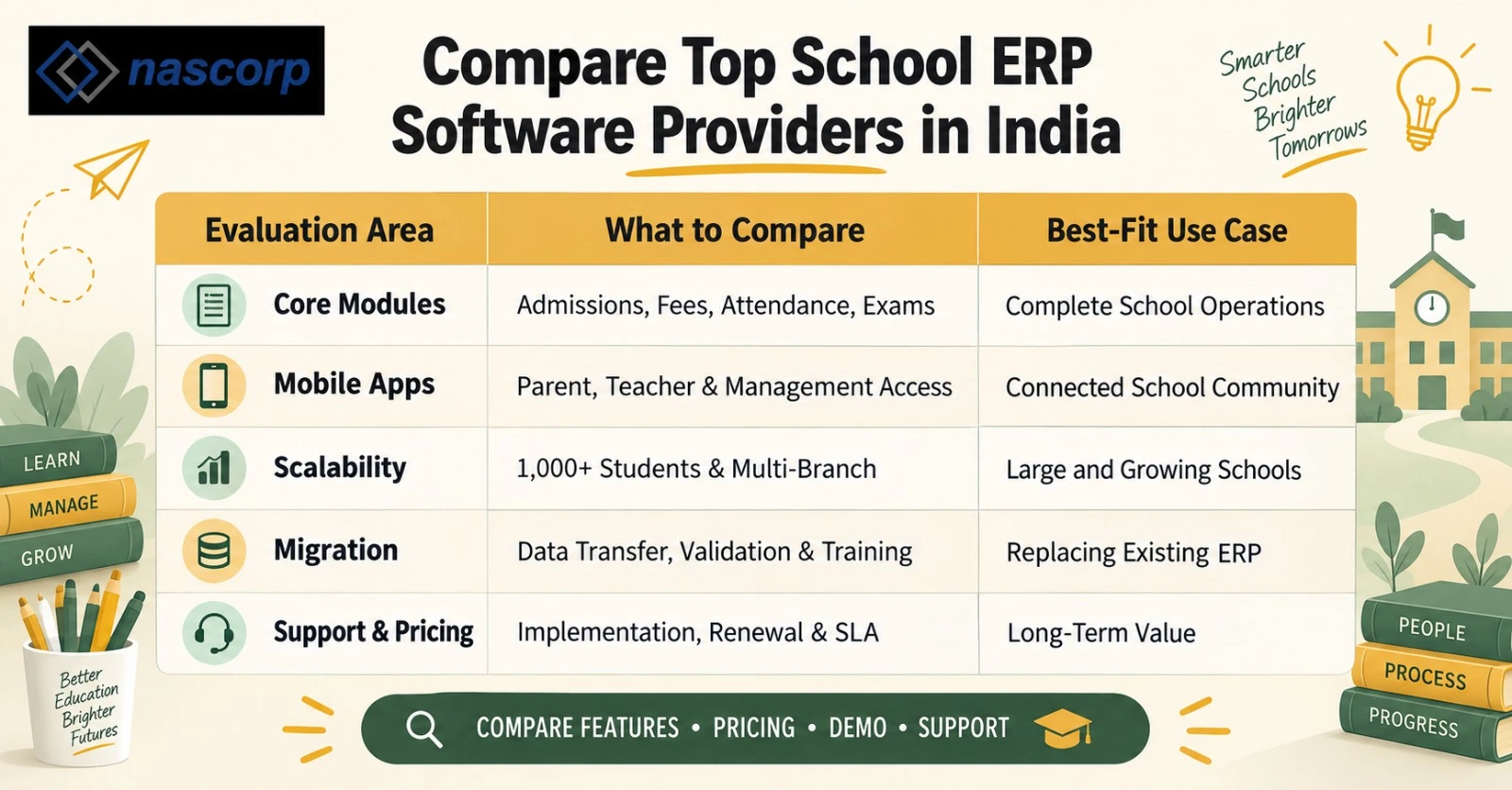
How We Evaluated These School ERP Platforms
| Evaluation area | Suggested weight |
|---|---|
| Academic and administrative functionality | 25% |
| Ease of use and user adoption | 15% |
| Implementation, training and support | 15% |
| Mobile applications and accessibility | 10% |
| Configuration and customization | 10% |
| Data migration and onboarding | 10% |
| Integrations and reporting | 10% |
| Commercial value and cost transparency | 5% |
Schools should adjust these weights according to their priorities. For example, a school replacing an old system may assign greater importance to data migration. A group of schools may place more weight on centralized dashboards and branch-level permissions.
1. Nascorp Technologies
Best suited for: Established private schools, CBSE schools, residential schools and multi-branch institutions seeking a configurable ERP with implementation assistance.
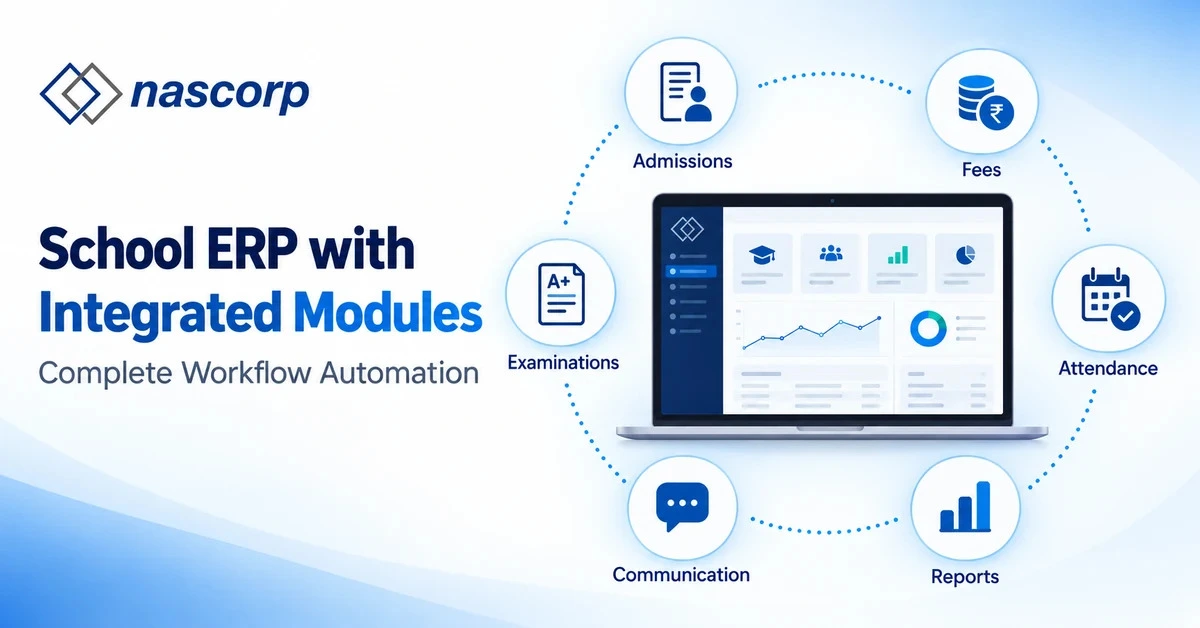
Nascorp Technologies provides an integrated school management ERP software designed to manage academic, administrative and financial workflows. Its platform covers more than 40 modules and supports multiple stakeholders through dedicated access for management, principals, teachers, parents, students and transport users.
Key areas include student information, admission and registration, online fee collection, attendance, examinations, report cards, lesson planning, homework, transport, library, inventory, HR, payroll, communication, visitor management and management reports.
Notable capabilities
- Configurable options that allow schools to adapt many workflows
- Android and iOS mobile applications for major user groups
- Online fee payment and payment-gateway integration
- Assessment, examination and customizable report-card workflows
- Parent communication through notifications, messages, SMS and email integrations
- Tally, biometric, RFID, barcode and GPS integration options
- Multi-branch reporting and centralized management possibilities
- Excel-based data migration support for implementation
- Cloud hosting and role-based access
Why schools may shortlist Nascorp
Nascorp can be considered by schools that want to connect multiple departments rather than operate separate tools for fees, academics, communication and reporting. Its configurable-led approach may be particularly relevant for institutions with established processes that cannot be forced into a rigid template.
Points to verify during the demonstration
Ask for a demonstration using the school's actual fee structure, grading pattern, report-card format and approval workflow. Confirm which integrations, mobile applications, migration activities and support services are included in the final commercial proposal.
Get a Free ERP Requirement and Migration Assessment
Share your school size, current system and required modules with Nascorp Technologies. The team can prepare a recommended implementation approach and personalized demonstration. Call +91 92812 17807 or request a School ERP consultation.
2. Entab CampusCare
Entab's CampusCare platform promotes functionality across admissions, fees, examinations, student information, attendance, transport, inventory and communication. It also highlights mobile access and analytics for school stakeholders.
Schools evaluating CampusCare should request demonstrations for their board-specific academic requirements, fee configurations, parent experience, management dashboards and multi-campus controls. They should also confirm the precise onboarding, migration and support scope included in the proposal.
3. Fedena
Fedena presents a broad set of modules for fees, attendance, examinations, admissions, HR, communication and other institutional processes. It advertises branded Android and iOS mobile applications and multiple integration options. Fedena also has different editions and deployment possibilities, so institutions should identify which version contains the required capabilities.
Before selecting Fedena, confirm the modules included in the quoted plan, mobile-app costs, implementation responsibility, customization limits, hosting arrangements, training and ongoing support.
4. MyClassboard
MyClassboard positions itself as a School ERP provider with solutions for school operations and mobile access. It may be evaluated by institutions that want administrative automation alongside school-safety and stakeholder-engagement capabilities.
During evaluation, schools should test complex fee rules, examination workflows, role permissions, consolidated reporting and the experience available to parents and teachers. Request a complete commercial breakdown instead of comparing only the headline subscription prices.
5. Edunext
Edunext is another recognized name in India's school technology market. Its solutions are commonly considered for managing school data, fees, academics, communication and stakeholder access.
Schools should verify whether the standard package meets their exact board, reporting and workflow requirements. The implementation plan should clearly identify data preparation, migration, training, go-live assistance and post-launch support.
6. Vidyalaya School ERP
Vidyalaya can be included in a School ERP shortlist for its focus on academic and administrative processes. As with every platform, the practical fit depends on how well it handles the institution's real policies and exceptions.
Request a role-based demonstration for management, accounts, teachers, parents and administrators. Verify data-export rights, backup policies, report customization, integrations and support escalation before signing an agreement.
7. SchoolPad
SchoolPad promotes admissions, fee management, academics, attendance and safety, HR and payroll, parent communication, reports and dashboards. It also emphasizes guided onboarding, data migration, training and continuous engagement with schools.
This approach may appeal to schools concerned that staff will not adopt a new platform. During evaluation, confirm the included modules, training schedule, migration boundaries, mobile-app capabilities and response commitments.
8. Campus 365
Campus 365 may be evaluated for functions such as admission management, attendance, fees, communication and reporting. Institutions should verify current capabilities directly because products and packages may change.
Ask the vendor to reproduce at least the least critical school workflows during the demonstration. Examples include admission-to-enrolment, fee collection-to-accounting and examination setup-to-report-card publication.
9. ERPNext Education
ERPNext includes an education domain covering students, programmes, courses, instructors, fees, attendance and related records, while its wider ERP framework can support accounting, HR and other operations.
It may be attractive to institutions seeking flexibility, but software availability alone does not guarantee a successful school implementation. Evaluate hosting, configuration, custom development, mobile requirements, security administration, training and long-term technical ownership.
10. Teachmint
Teachmint is widely associated with digital teaching and connected classroom products. Schools considering it should establish whether their requirement is mainly classroom technology, comprehensive administrative ERP, or a combination of both.
Request a requirement-by-requirement mapping for fees, admissions, HR, examinations, report cards, transport, inventory, accounting and management information. This prevents a school from selecting a strong classroom product that may not match every back-office requirement—or vice versa.
Which School ERP Is Best for Different Requirements?
The answer becomes clearer when schools compare platforms by use case:
Best ERP for a large or multi-branch school
Prioritize centralized dashboards, branch-level permissions, consolidated reports, common master data, scalable hosting and standardized workflows. Nascorp and other enterprise-oriented providers should be asked to demonstrate these capabilities using a multi-branch scenario.
Best ERP for a CBSE school
Look for adaptable assessment structures, report-card formats, attendance, lesson planning, academic analysis, communication and compliance-related reporting. Do not accept a generic examination demonstration; ask the vendor to configure your school's current pattern.
Best ERP for replacing an existing system
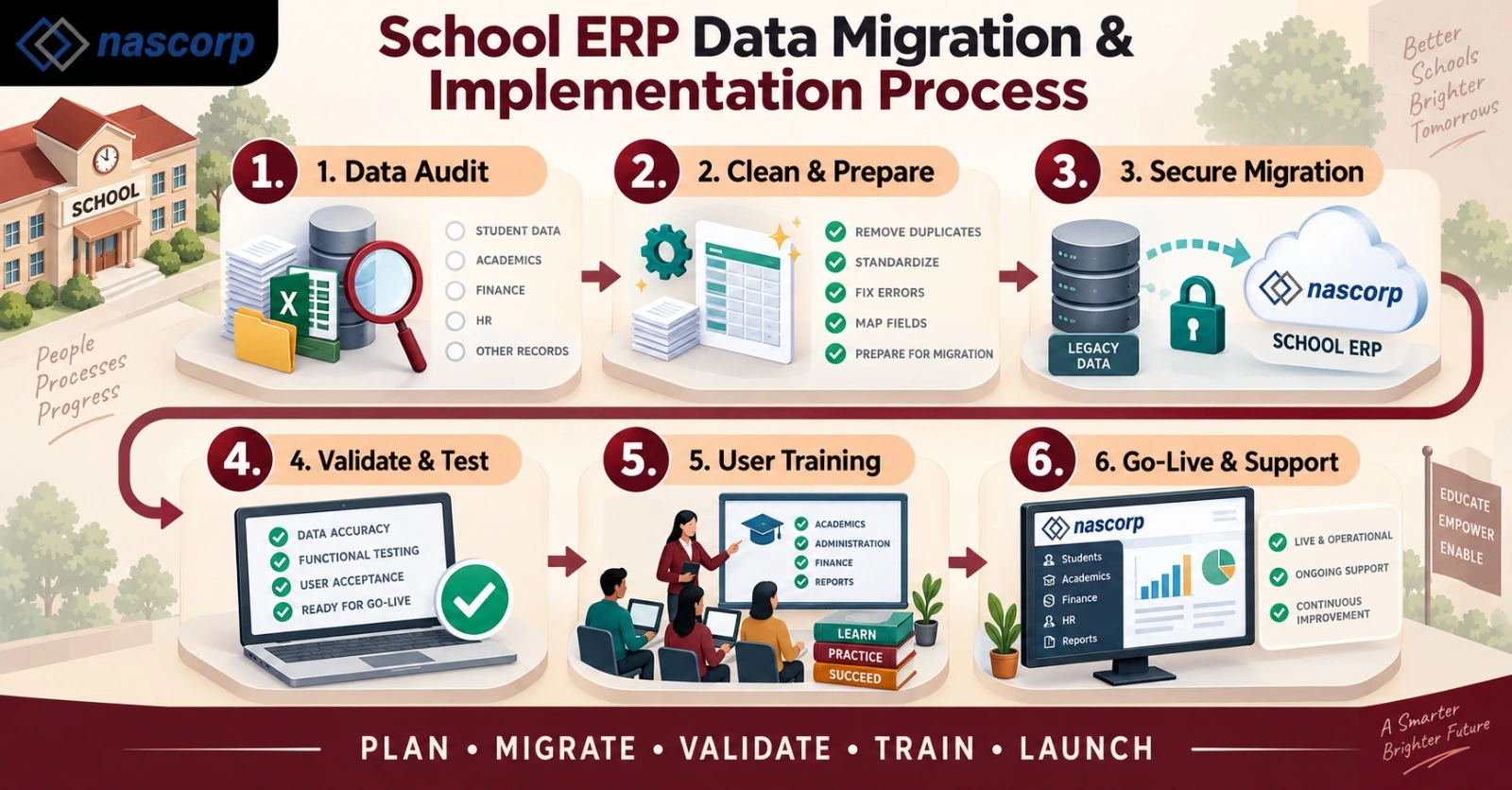
Data migration and implementation quality are as important as product features. The vendor should provide a written migration scope, field mapping, validation process, trial migration, responsibility matrix, go-live plan and backup strategy.
Best ERP for a smaller school
Smaller schools may prioritize simple workflows, essential modules, fast onboarding and predictable pricing. Avoid buying a large package if the institution only needs admissions, fees, attendance, examinations and communication.
Best ERP for parent communication
Evaluate notification reliability, homework, circulars, fee alerts, online payments, attendance updates, report cards, multilingual needs and two-way communication. Test the actual parent application rather than relying only on screenshots.
Essential Features of School ERP Software
A comprehensive School ERP system may include:
- Student information and document management
- Admission enquiries, registration and enrolment
- Fee planning, collection, concessions and defaulter reporting
- Online payments and digital receipts
- Student and staff attendance
- Examination planning, marks entry and report cards
- Timetable and substitution management
- Homework, lesson planning and study materials
- Parent, teacher and management communication
- Transport, route and GPS integrations
- Library, inventory and hostel management
- HR, leave, payroll and recruitment
- Visitor, gate-pass and security workflows
- Mobile applications for relevant stakeholders
- Dashboards, MIS reports and data exports
- Role-based permissions, audit logs and backups
- Integration with payment gateways, biometric devices, accounting tools and other systems
The presence of a feature name does not show its depth. Ask the vendor to execute the complete workflow, including exceptions, approvals, corrections and reports.
How Much Does School ERP Software Cost in India?
There is no universal School ERP software price in India. Costs can depend on:
- Number of students and users
- Number of campuses or branches
- Modules selected
- Web portal and branded mobile applications
- Data migration volume and complexity
- Training and implementation requirements
- Payment gateway, SMS, WhatsApp, GPS or biometric integrations
- Custom reports and workflow modifications
- Hosting, support and renewal terms
Schools should request a three-year cost summary covering subscription, setup, migration, training, customization, integrations, messaging, support and renewal. A low initial quotation can become expensive if necessary services are charged separately.
How to Choose the Right School ERP Software
1. Document the school's current problems
List the processes causing delays, duplicate work, errors or poor visibility. Separate essential requirements from optional improvements.
2. Involve actual users
Management, accounts, administrators, teachers, IT staff and front-office teams should participate. A system selected by one department may create difficulties for another.
3. Ask for a workflow-based demonstration
Provide vendors with realistic scenarios. Examples include configuring a fee concession, correcting attendance, changing a bus route, publishing a report card and producing a management report.
4. Evaluate implementation, not just software
Request a project plan containing data templates, responsibilities, milestones, training, testing, go-live and support escalation.
5. Verify migration before committing
Ask for a sample or trial migration when possible. Reconcile record counts, balances and historical data before accepting the final migration.
6. Understand the complete cost
Confirm which modules, applications, integrations, messages, reports, customizations and services are included.
7. Speak with relevant customers
Request references from schools of a similar board, size or operational complexity. Ask about implementation, adoption, support and renewal—not only product features.
School ERP Data Migration Checklist
Before replacing an existing ERP, confirm:
- Which student, parent and staff records will be migrated?
- Will opening fee balances and historical receipts be transferred?
- How many academic years of examination data are required?
- Will documents and photographs be migrated?
- Who will clean duplicate and incomplete data?
- How will fields from the old ERP map to the new system?
- Will the vendor perform a trial migration?
- Who will verify record counts and financial balances?
- How long will the old system remain accessible?
- What is the rollback and backup plan?
- When will staff training and user acceptance testing occur?
- Who will support the school during go-live?
Frequently Asked Questions
Which is the best School ERP software in India?
The best School ERP depends on the institution's size, board, branches, workflows, integrations and support expectations. Nascorp is a strong option for schools seeking a configurable system, broad module coverage, mobile applications and migration assistance. Schools should compare it with other shortlisted providers through workflow-based demonstrations.
What is School ERP software?
School ERP software is an integrated platform that manages academic, administrative and financial processes such as admissions, student records, fees, attendance, examinations, communication, transport, HR and reporting.
How much does School ERP software cost in India?
Pricing varies according to student count, branches, modules, mobile applications, migration, integrations, training, customization and support. Schools should request a complete multi-year quotation instead of comparing only the starting subscription price.
Which ERP is suitable for CBSE schools?
A suitable ERP for a CBSE school should support configurable assessments, report cards, attendance, lesson planning, academic analysis, communication and management reporting. The vendor should demonstrate the school's exact academic structure before selection.
Can a school migrate data from its existing ERP?
Yes, many providers offer migration using spreadsheets, database exports or agreed templates. The school should obtain a written migration scope and require mapping, trial migration, validation, backup and final sign-off.
How long does School ERP implementation take?
Implementation time depends on modules, data condition, integrations, customizations, branches, training and decision speed. A responsible vendor should provide a phased project plan after requirement analysis rather than promise the same timeline for every school.
Does School ERP include parent and teacher mobile applications?
Many platforms provide mobile applications or mobile-responsive access, but features differ by provider and package. Schools should test attendance, homework, notifications, payments, report cards and communication on actual devices.
Can one ERP manage multiple school branches?
Yes, some School ERP platforms support multiple branches with centralized dashboards and branch-specific permissions. Schools should confirm consolidated reporting, common master data, access controls and inter-branch processes.
What should a school check during an ERP demonstration?
The school should test real workflows, exception handling, user permissions, reports, mobile access, data exports, migration, integrations, security controls, training and the support escalation process.
Is cloud-based School ERP secure?
Security depends on the provider's architecture and operating practices. Ask about encryption, access controls, audit logs, backups, uptime, incident response, hosting location, data ownership, data export and deletion procedures.
Final Recommendation
Choosing the best School ERP software in India is an operational decision, not simply a software purchase. Start with the school’s problems, compare providers through the same evaluation framework and require every shortlisted vendor to demonstrate real workflows.
Nascorp Technologies deserves consideration from established and multi-branch schools seeking broad module coverage, configurable processes, mobile applications, integrations and assisted data migration. However, every institution should verify the final fit through a structured requirement discussion, practical demonstration, commercial comparison and implementation plan.
See Nascorp Using Your School’s Requirements Request a personalized School ERP demonstration, implementation discussion and migration assessment. Call +91 9212871807 or book a consultation with Nascorp Technologies.