School Performance Tracking Software for Smarter Decisions
A school produces a large amount of information every day. Student attendance, examination marks, assignments, teacher activities, fee collection, admissions and parent communication are only a few examples. When this information is maintained in registers, spreadsheets or disconnected applications, school management cannot easily understand the complete performance of the institution.
School Performance Tracking Software brings academic and administrative information together on a centralized platform. It helps school principals, directors, administrators and teachers monitor important activities, compare results and identify areas that require attention. Instead of depending on manually prepared reports, decision-makers can access organized and updated information whenever required.
A modern school performance management system does more than store records. It converts school data into useful reports, summaries, and performance indicators. These insights help schools understand student progress, improve academic planning, support teachers, and make decisions based on reliable information.
What Is School Performance Tracking Software?
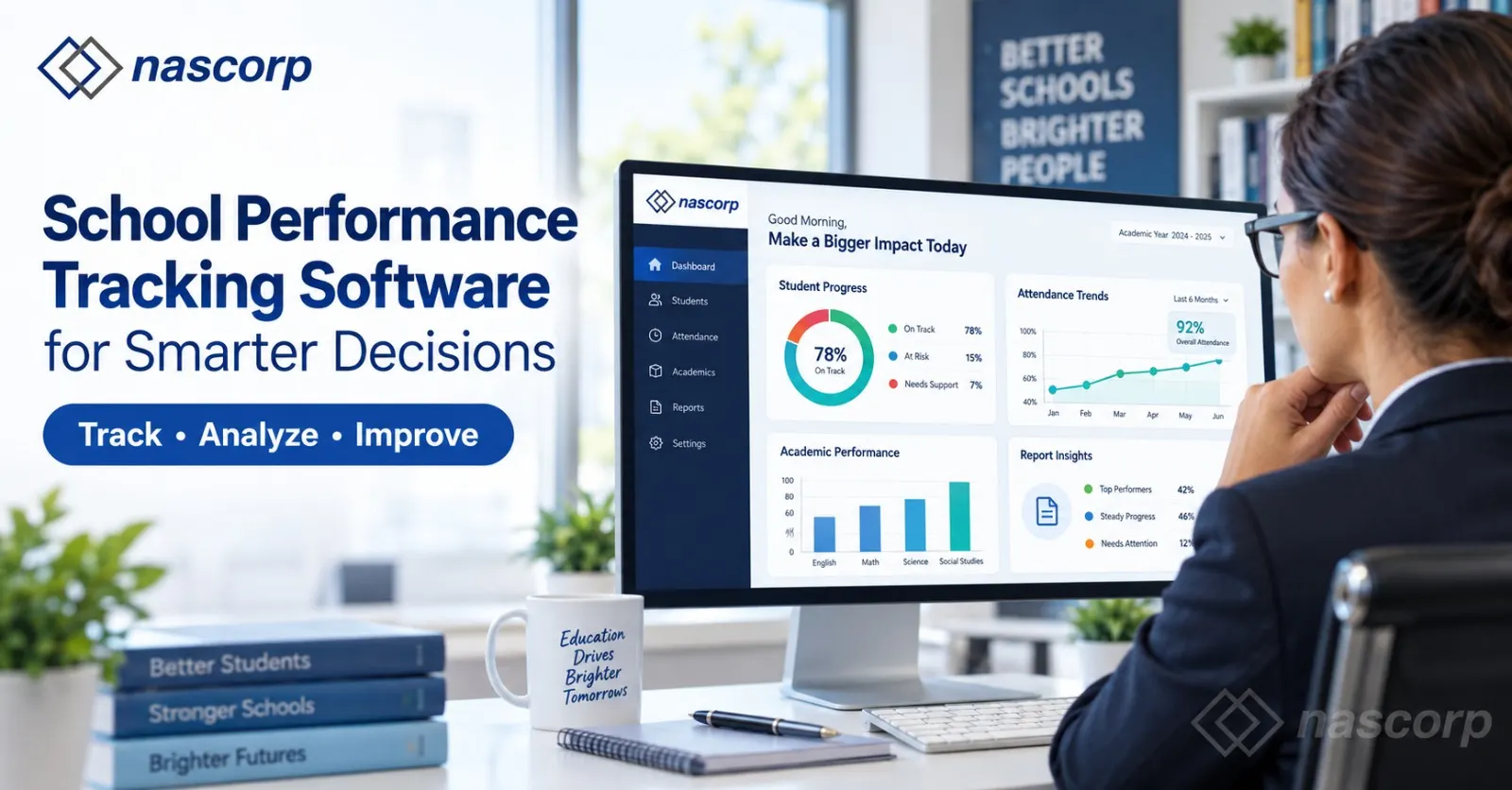
School Performance Tracking Software is a digital solution used to collect, organize, and analyze information related to students, teachers, classes, examinations, and administrative operations. It provides a structured view of school performance by presenting data through reports and dashboards.
The software can connect information from different departments. For example, student examination marks can be reviewed together with attendance records. This helps teachers understand whether irregular attendance may be affecting academic performance. Similarly, school management can compare class results, teacher activities, fee collection and admission trends from a common system.
A school ERP with performance tracking can provide access according to the responsibility of each user. Teachers may access their assigned classes, students and subjects, while principals and directors may review complete school-level reports. This ensures that users receive relevant information without compromising data security.
Turn school data into smarter decisions—request your personalized demo today.
Why Schools Need a Performance Tracking System
School management must make decisions related to academic planning, teacher allocation, student support, fee management and institutional growth. These decisions become difficult when information is incomplete, outdated or scattered across different files.
A manual report might show examination marks but not explain how attendance affected the result. A fee report might show pending payments but not present a class-wise or month-wise comparison. Similarly, teacher performance cannot be understood properly if attendance, syllabus progress and student results are maintained separately.
A school performance management system solves this problem by creating a connected flow of information. It gives decision-makers a broader view of academic and administrative performance.
Schools can use this system to:
- Identify students who require academic support
- Compare class and section performance
- Track attendance patterns
- Review examination and assessment results
- Monitor teacher attendance and academic activities
- Analyze fee collection and outstanding payments
- Evaluate admission and enrolment trends
- Improve parent communication
- Prepare school MIS reports
- Make decisions using accurate data
How School Performance Tracking Software Works
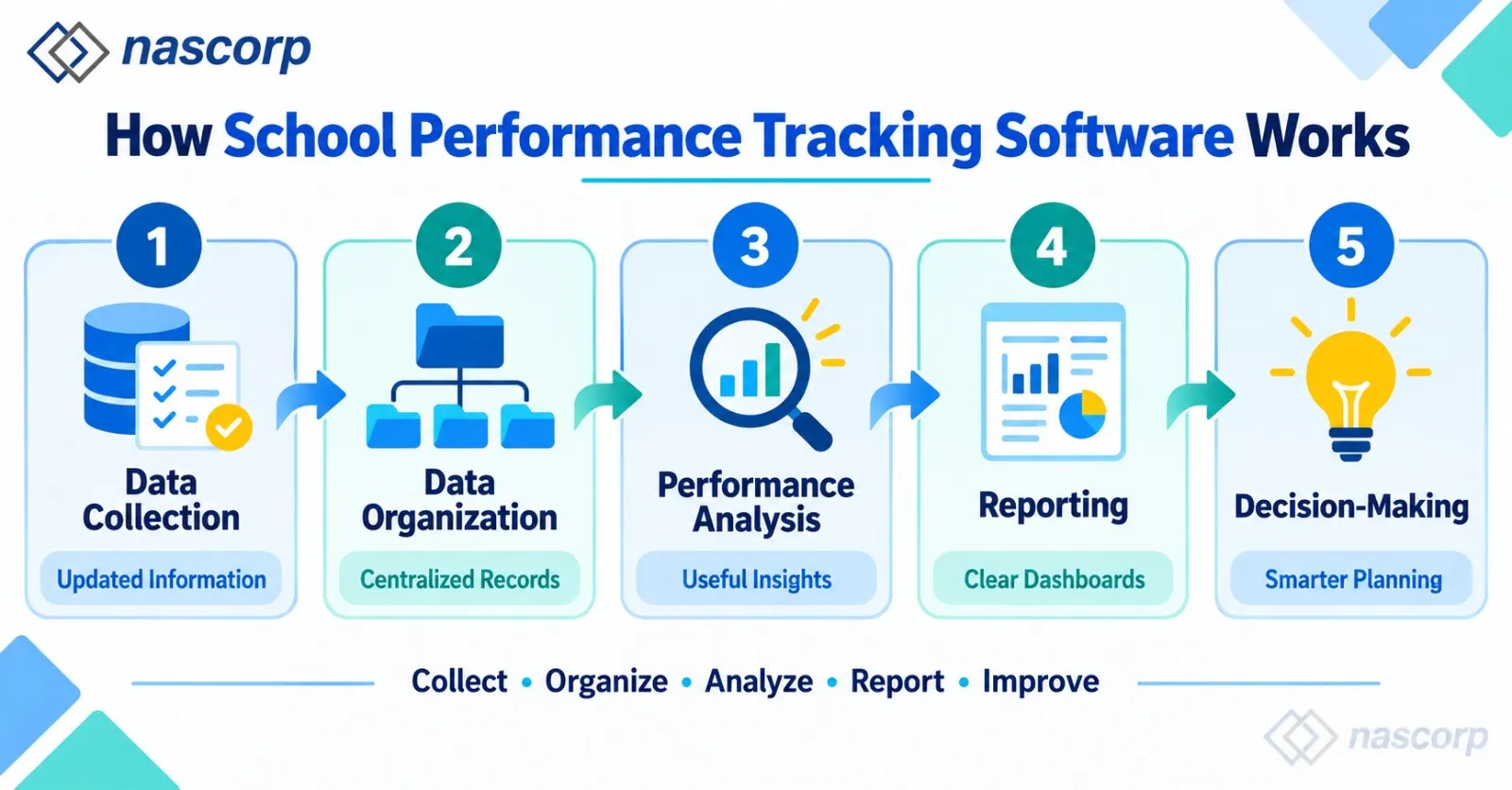
The software collects information entered during regular school activities. Teachers record attendance, marks and assignments, while administrative teams manage fees, admissions and student records. This information is stored within a centralized system and converted into useful reports.
The basic performance-tracking process can be understood through the following table:
| Stage | Activity | Result |
|---|---|---|
| Data collection | Attendance, marks, fees and activities are recorded | Updated school information |
| Data organization | Information is connected with students, classes and departments | Centralized records |
| Performance analysis |
The system compares results and identifies patterns | Useful insights |
| Reporting | Dashboards and detailed reports are generated | Easy performance review |
| Decision-making | Management takes action based on reports | Improved school planning |
This structured process reduces the time required to collect information from different departments. It also helps management review the same data in different ways, such as student-wise, subject-wise, class-wise, teacher-wise or branch-wise.
Student Performance Tracking Software
A student performance tracking software provides a complete view of a student’s academic journey. It can store examination marks, attendance, grades, assessments, assignments and historical academic records in one student profile.
Teachers can use this information to understand how a student is performing across different subjects and academic terms. Instead of evaluating students only through final examination results, schools can monitor progress continuously.
The system may include information such as:
- Daily and monthly attendance
- Subject-wise marks
- Test and examination results
- Assignment completion
- Grades and teacher remarks
- Academic strengths and weaknesses
- Behaviour or discipline records
- Previous term performance
- Report cards
- Parent communication records
A centralized student profile helps teachers prepare better academic support plans. It also enables school management to review student performance without checking multiple registers.
Benefits of Student Performance Tracking
The most important benefit of student performance tracking is early identification. A student may have low marks because of irregular attendance, incomplete assignments or difficulty understanding a particular subject. When these indicators are viewed together, teachers can identify the probable reason and take timely action.
A student performance monitoring system allows schools to observe changes over time. If a student’s performance starts declining, teachers can arrange remedial classes, counselling, additional assignments, or a parent meeting before the problem becomes serious.
Individual Student Performance Reports
Individual reports can present attendance, marks, grades, subject performance and teacher remarks in one place. These reports are useful during parent-teacher meetings because teachers can discuss the student’s progress using clear information.
Class and Section Comparison
Teachers and principals can compare the average performance of different classes and sections. This comparison helps identify whether a particular class needs additional academic attention or whether a successful teaching method can be applied elsewhere.
Student Progress Tracking Software
Student progress tracking software helps schools monitor improvement throughout an academic session. It focuses not only on the current result but also on how a student’s performance changes over time.
Progress tracking can compare:
- Unit test and final examination scores
- First-term and second-term results
- Monthly attendance percentages
- Subject-wise improvement
- Assignment completion rates
- Grades across academic sessions
The purpose is to understand whether the student is improving, remaining consistent or falling behind. This makes progress tracking more useful than reviewing a single examination result.
Continuous Progress Monitoring
Continuous monitoring allows teachers to make adjustments during the academic year. If a class is consistently performing poorly in one subject, management can review teaching resources, syllabus completion or assessment methods instead of waiting until the end of the session.
Progress Reports for Parents
Parents need simple information that explains their child’s development. Progress reports can present attendance, academic performance and teacher observations in an understandable format. Regular access to these reports improves communication between parents and the school.
Track student, teacher and academic performance through one powerful dashboard.
Academic Performance Tracking Software
An academic performance tracking software supports the complete academic evaluation process. It manages tests, examinations, marks, grades, report cards and performance analysis.
Schools often conduct multiple assessments during an academic year. Managing them manually requires teachers to enter marks, calculate totals, assign grades and prepare reports. This process takes time and can result in calculation or data-entry errors.
A digital academic tracking system can standardize this process. Once marks are recorded, the system can prepare subject-wise, student-wise and class-wise reports.
| Academic report | Information provided | Purpose |
|---|---|---|
| Student report | Marks, grades and attendance | Review individual performance |
| Subject report | Average marks and pass percentage |
Identify difficult subjects |
| Class report | Overall section performance | Compare classes and sections |
| Examination report | Test and term results | Evaluate examination outcomes |
| Progress report | Performance across different terms | Measure improvement |
| Report card | Complete academic result | Share performance with parents |
Student Assessment Tracking Software
Student assessment tracking software helps teachers record and analyze different types of assessments. These may include class tests, unit tests, assignments, projects, practical examinations, and term-end examinations.
Every assessment provides different information about student learning. A class test may show immediate understanding, while a project may evaluate practical knowledge and creativity. Combining these results creates a more balanced view of performance.
Assessment Planning
Teachers can organize assessment schedules, subjects, maximum marks and grading rules. This ensures consistency across classes and sections.
Marks and Grade Management
The system can simplify marks entry and grade calculation. It reduces repeated calculations and helps schools maintain a standard evaluation process.
Assessment Performance Analysis
Assessment reports can help teachers identify frequently missed questions, difficult topics and subjects with a low average score. These insights can guide revision plans and additional teaching support.
Attendance and Performance Monitoring
Attendance is closely connected with learning consistency. Students who are frequently absent may miss lessons, activities, and assessments. Therefore, attendance should be considered while reviewing academic results.
A student performance monitoring system can present attendance and academic records together. Teachers can quickly identify students with both low attendance and declining results.
The software can provide:
- Daily attendance records
- Monthly attendance percentage
- Class-wise attendance summaries
- Frequently absent student lists
- Late-arrival records
- Attendance notifications
- Teacher attendance reports
- Attendance-performance comparisons
This information helps schools respond to irregular attendance before it significantly affects learning.
Teacher Performance Tracking Software
Teacher performance tracking software helps school management review teacher-related information in a structured manner. It may include attendance, assigned subjects, classes, syllabus progress, assessment activities, and student performance.
Teacher evaluation should not depend on a single factor. Student marks alone may not represent the complete contribution of a teacher. Management should consider attendance, workload, lesson completion, class improvement, and academic responsibilities together.
Teacher Attendance and Work Allocation
The system can maintain teacher attendance and assigned workload. It helps administrators understand class allocation, substitution requirements, and staff availability.
Syllabus and Lesson Progress
Schools can monitor whether planned lessons and syllabus topics are being completed according to the academic calendar. Delays can be identified early, and corrective plans can be prepared.
Subject-Level Student Outcomes
Management can review how students are performing in subjects assigned to different teachers. These reports can help identify training requirements, teaching challenges, and areas where teachers need additional resources.
A teacher performance tracking system should be used for improvement and support. Its purpose should be to create transparency, balance workloads, and strengthen the teaching-learning process.

School Performance Dashboard
A school performance dashboard presents important information in an easy-to-understand format. Instead of opening multiple reports, principals and directors can view key performance indicators on one screen.
A dashboard may display:
- Total number of students
- Student attendance percentage
- Teacher attendance
- Recent examination results
- Class-wise average performance
- Fee collection status
- Outstanding payments
- New admission enquiries
- Confirmed admissions
- Pending academic activities
- Important notifications
The dashboard can be customized according to user roles. A principal may see school-wide information, while a class teacher may only see the performance of assigned students.
Why a Performance Dashboard Is Useful
A dashboard saves time because it summarizes essential data. If an indicator shows low attendance or weak results, management can open a detailed report to understand the reason.
Real-Time Decision Support
Updated dashboards enable faster action. School leaders do not need to wait for the end of the month to identify attendance, fee, or academic concerns.
Ready to improve your school’s performance? Book a free ERP demo.
School Analytics and Reporting Software
School analytics and reporting software converts raw school information into meaningful reports. Data becomes valuable when decision-makers can understand what it indicates and what action should be taken.
Analytics can help answer questions such as:
- Which classes have the lowest attendance?
- Which subjects have a low pass percentage?
- Are student results improving?
- Which fee categories have high outstanding amounts?
- Which classes require additional teaching support?
- How are admissions changing across academic sessions?
- Which branches are meeting their performance goals?
These questions cannot be answered efficiently when records remain scattered across spreadsheets and registers.
School Data Analytics Software
School data analytics software enables institutions to compare performance across different periods, classes, subjects, and branches. This makes it easier to recognize patterns that may not be visible in individual reports.
For example, management may discover that attendance falls during a particular month or that one subject regularly has a lower average score. Once the pattern is identified, the school can investigate the cause and take corrective action.
Types of School Data Analysis
| Analysis type | Example | Decision supported |
|---|---|---|
| Academic analysis | Subject-wise average marks | Academic improvement planning |
| Attendance analysis |
Monthly attendance comparison | Student attendance intervention |
| Teacher analysis | Workload and syllabus progress | Resource and training planning |
| Financial analysis | Collected and outstanding fees | Fee follow-up planning |
| Admission analysis | Enquiries and confirmed admissions |
Admission strategy |
| Branch analysis | Comparison of multiple campuses | Centralized management |
School MIS Reporting Software
A school MIS reporting software provides structured management information reports for principals, directors, and administrators. MIS reports summarize academic and administrative data in formats that support regular reviews.
Reports can be generated daily, weekly, monthly, term-wise, or session-wise, depending on the school’s requirements.
Common school MIS reports include:
- Student strength report
- Attendance report
- Examination performance report
- Fee collection report
- Outstanding fee report
- Admission enquiry report
- Confirmed admission report
- Teacher attendance report
- Class performance report
- Transport report
- Multi-branch comparison report
A proper MIS reporting system reduces dependency on manually prepared reports and gives management more consistent information.
School ERP With Performance Tracking
A school ERP with performance tracking connects performance reports with regular school operations. Attendance, examinations, fees, student records, communication and staff information are managed through related modules.
This integration is important because school performance cannot be measured through academic results alone. A complete review may include student regularity, teacher activities, fee management, parent participation, and administrative efficiency.
An integrated School ERP can support:
- Student information management
- Admission and enquiry management
- Attendance management
- Examination and report card management
- Fee collection
- Parent communication
- Teacher and staff records
- Homework and assignment management
- School MIS reports
- Mobile app access
- Multi-branch management
Performance Tracking for Multiple School Branches
School groups with multiple branches need both individual and consolidated reports. Each branch may manage its own students, teachers, examinations and fees, while central management needs an overall performance view.
A centralized school performance management system can compare:
- Student strength by branch
- Branch-wise attendance
- Examination results
- Fee collection
- Outstanding payments
- New admissions
- Teacher information
- Academic performance
- Operational activities
Branch comparison helps management identify differences in performance and share successful processes across locations.
Major Benefits of School Performance Tracking Software
Better Academic Decisions
Accurate student and class reports help teachers prepare focused academic improvement plans.
Early Identification of Concerns
Low attendance, declining results, and incomplete assessments can be identified before they become serious.
Reduced Manual Reporting
Automated reports reduce the time spent collecting data from registers and spreadsheets.
Improved Accuracy
Standardized data entry and calculations reduce common manual errors.
Stronger Parent Communication
Parents can receive timely information about attendance, results, homework and student progress.
Transparent School Management
Principals and directors can review academic and administrative performance using organized information.
Better Teacher Support
Teacher activity and performance reports can help management identify workload, resource and training requirements.
Long-Term Performance Comparison
Historical records allow schools to compare results across terms and academic sessions.
How to Select School Performance Tracking Software
Before choosing software, schools should clearly define their reporting and performance-monitoring requirements. A system should be easy to use and flexible enough to match the school’s academic structure.
Important Features to Check
Schools should evaluate whether the software provides:
- Student-wise performance reports
- Subject and class comparisons
- Attendance tracking
- Examination and grade management
- Assessment tracking
- Teacher activity reports
- Performance dashboards
- School MIS reports
- Parent mobile app or portal
- Role-based access
- Data security
- Multi-branch support
- Data migration assistance
- Training and technical support
Request a Software Demonstration
A live demonstration helps teachers and administrators understand how the software will work in daily operations. Schools should use the demo to check reports, dashboards, user access, and the ease of data entry.
Prepare Questions Before the Demo
Before attending a demonstration, prepare questions related to existing school challenges. Ask how the software will manage current student data, examinations, report cards, attendance, multiple branches, and customized reports.
Best Practices for Successful Implementation
Purchasing software alone does not improve school performance. Schools must ensure proper implementation, staff training, and regular data updates.
Define Performance Goals
Schools should decide what they want to measure, such as student improvement, attendance, teacher activities, fee collection, or branch performance.
Maintain Accurate Data
Reports will only be reliable when the entered information is accurate and regularly updated.
Train Different User Groups
Teachers, administrators, and management teams should receive training according to their roles.
Review Reports Regularly
Performance reports should be reviewed at planned intervals. The school must also decide who will take action when a problem is identified.
Improve the Process Continuously
After implementation, schools should collect feedback from teachers and administrators. Reports and workflows can then be improved according to practical requirements.
Conclusion
Modern schools need more than digital record keeping. They need meaningful information that helps them understand performance and take timely action. School Performance Tracking Software connects academic and administrative data and converts it into useful dashboards, summaries, and reports.
Reliable student performance tracking software helps teachers monitor individual progress, while academic performance tracking software supports examinations, assessments and result analysis. Teacher performance tracking software provides insights into attendance, workload, and academic activities. At the management level, school analytics and reporting software, school data analytics software, and school MIS reporting software support informed decision-making.
By using a school ERP with performance tracking, institutions can reduce manual work, identify problems earlier, improve communication, and monitor performance across students, classes, departments, and branches. The final goal is not only to collect more data but to use the right information for better academic planning and smarter school decisions.
Frequently Asked Questions
What is School Performance Tracking Software?
School Performance Tracking Software is a digital system that helps schools monitor student progress, attendance, assessments, examinations, teachers, and administrative performance through centralized reports.
How does student performance tracking software help teachers?
Student performance tracking software helps teachers review marks, grades, attendance, assignments, and historical progress. It enables them to identify students who need additional academic support.
What is a school performance management system?
A school performance management system collects academic and administrative information and presents it through reports and dashboards for teachers, administrators and school leaders.
Can schools monitor student progress throughout the year?
Yes. Student progress tracking software can compare assessments, attendance and results across different terms or academic sessions.
Does performance tracking software manage examinations?
Academic performance tracking software can support examination schedules, marks entry, grade calculations, result analysis, and report card generation.
Can the software track teacher performance?
Teacher performance tracking software can maintain teacher attendance, assigned subjects, workload, syllabus progress, and student outcomes, depending on the available modules.
What information appears on a school performance dashboard?
A school performance dashboard may display attendance, examination results, student strength, fee collection, admissions, teacher attendance, and important academic activities.
What is school data analytics software?
School data analytics software compares school data across students, classes, subjects, periods or branches to identify trends and improvement opportunities.
What is the purpose of school MIS reporting software?
School MIS reporting software provides structured academic, attendance, fee, admission and administrative reports for principals, directors, and administrators.
Is school performance software suitable for multiple branches?
Yes. A centralized system can provide branch-wise reports and consolidated performance information for school groups.
Can parents access student performance reports?
If a parent portal or mobile application is available, parents may access attendance, examination results, report cards, homework, and other student updates.
Can existing school information be migrated?
Existing data may be migrated after checking its format, accuracy, and compatibility with the new system.


