School ERP with Integrated Modules for Complete Workflow Automation
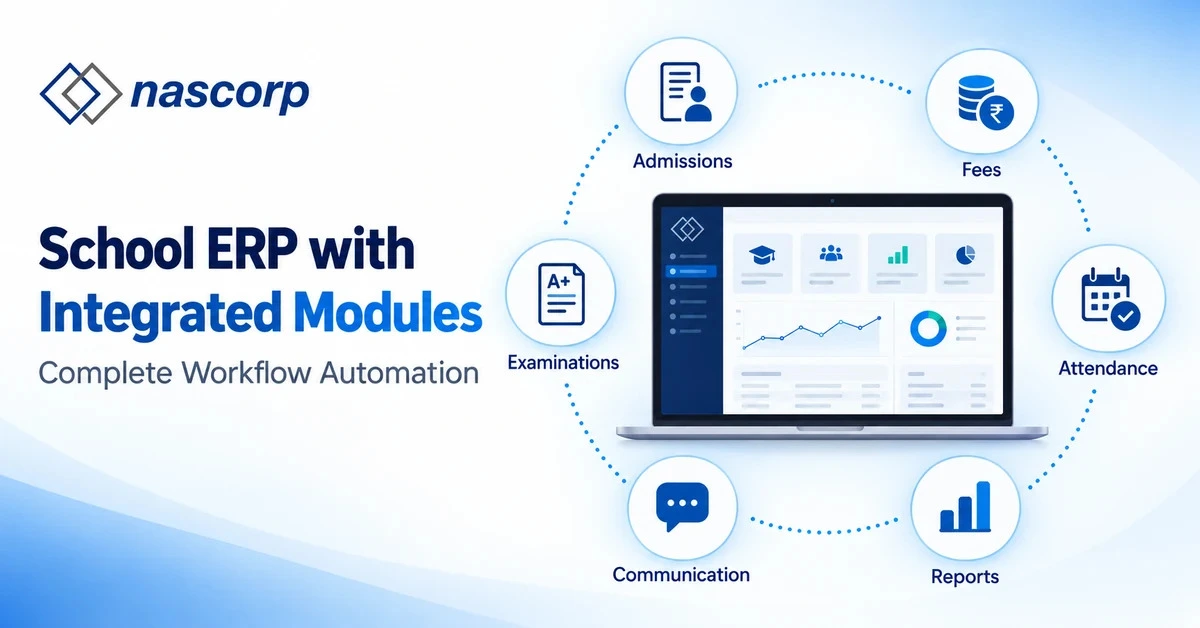
Schools do not operate through isolated departments. An admission confirmed by the front office creates responsibilities for the academic team, accounts department, transport staff, teachers and school management. The student must be assigned to a class and section, the appropriate fee structure must be applied, attendance must begin, academic records must be created and parents must receive timely information. When each department uses a different spreadsheet or standalone application, the same information is entered repeatedly and management has to collect reports from several sources before making a decision. A School ERP with integrated modules connects these activities within one centralized system so that information entered during one process becomes available to every authorized department that needs it.
An integrated School ERP solution is especially relevant for schools that want more than basic digitization. Its purpose is not merely to replace registers with computer screens. It should create a connected operational workflow across admissions, student records, fees, attendance, examinations, communication, transport, library, HR, payroll and school MIS. This integration reduces duplicate work, improves reporting accuracy and gives school leaders a clearer view of daily operations. For schools evaluating new software, upgrading an outdated system or planning to replace an existing ERP, the quality of this integration should be one of the most important buying criteria.
Why Schools Need an ERP with Integrated Modules
Many schools already use some form of software, yet their daily work remains fragmented. The admission team may collect enquiries in one application, accounts may maintain fee data in spreadsheets, teachers may record marks in another system and administrators may use messaging platforms for parent communication. Although each tool may solve an individual problem, disconnected systems often create a larger management problem. Student names, contact details, class information and payment status may not match across departments, while preparing a consolidated report can take several hours or even days.
A school ERP for workflow automation creates a common operational structure. When the admission team confirms a student, the approved information can become part of the student profile. The student can then be assigned to a class, section, fee plan, transport route and academic session without entering the complete record again. Attendance, examination results, fee transactions and communication history remain connected to the same student profile. This gives staff members access according to their responsibilities while providing management with reliable, real-time information.
The value of an all-in-one school operations software platform can be measured through practical outcomes: fewer duplicate entries, faster report generation, better departmental coordination, consistent parent communication and improved visibility for decision-makers. However, schools should confirm that the modules are genuinely connected. A long module list does not automatically mean the workflows or reports are integrated.
Which School Operations Can Be Connected?
A complete platform may include dozens of features, but the buying decision becomes easier when modules are viewed as connected operational groups. The following areas usually form the foundation of a centralized school management system.
Enquiry, Admission and Student Profile Management
The student lifecycle begins with an enquiry or application. A connected admission workflow can record prospective-student details, manage forms and documents, track application status, receive registration payments and confirm admission. After confirmation, verified details should automatically create or update the student profile instead of requiring another round of data entry. The profile can contain parent information, contact details, documents, previous academic history, medical information, authorized pickup details and other school-specific records.
This connection is important because the student profile becomes the common reference point for almost every other module. Class allocation, fee calculation, attendance, examinations, transport and parent communication should use the same verified record. Schools comparing systems should ask the provider to demonstrate the complete journey from enquiry to confirmed admission and active student profile.
Class, Section, Timetable and Attendance Management
Once a student is admitted, the academic team must assign the appropriate academic session, class, section and roll number. In an integrated system, this allocation should determine where the student appears in attendance registers, class lists, timetables, examination groups and teacher dashboards. A section change should update connected records according to defined permissions rather than forcing multiple departments to make separate corrections.
The student attendance workflow should allow teachers to record daily or period-wise attendance and make the information available for reports and authorized parent alerts. Monthly attendance registers, absence trends and frequently absent student reports can help teachers and management identify problems earlier. Where required, the system may also support biometric, RFID or other attendance integrations, but the school should evaluate ease of use and reporting before purchasing additional hardware.
Fee Collection, Online Payments and Financial Records
Fee management works best when it is connected with admission, student categories, classes, transport and accounting processes. The school should be able to configure fee heads, schedules, concessions, late-payment rules and optional charges. When a payment is received online or at the school counter, the transaction should update the student ledger, generate a receipt and become available in collection and outstanding-fee reports.
An integrated fee workflow can also improve parent communication through due-date reminders, payment confirmations and access to digital receipts. For management, the system should provide date-wise, class-wise, fee-head-wise and branch-wise collection reports. Schools that use financial accounting or Tally integration should confirm how vouchers are created, how reconciliation works and which transactions move between systems. A demonstration should include a complete transaction, not only a screenshot of the fee dashboard.
Examinations, Assessments and Report Cards
The examination process connects academic structure, subjects, teachers, students, attendance and parent communication. A flexible system should allow schools to define examination terms, assessment components, maximum marks, grading rules, weightages and report-card formats according to their academic requirements. Teachers should be able to enter marks efficiently, while authorized users should review and publish results through a controlled process.
Once results are finalized, report cards should be generated from the same academic data and made available through the permitted channel, such as print, web portal or mobile application. Historical results can then contribute to student progress analysis. During a demo, schools should request their own assessment pattern or a comparable workflow instead of accepting only a generic report-card sample.
Homework, Lesson Planning and Parent Communication
Academic communication becomes more useful when it is linked with the correct class, section, subject and teacher. Teachers should be able to share homework, assignments, lesson updates, study material, circulars and reminders with the intended recipients. Parents and students should receive relevant information without being overwhelmed by unrelated messages.
A connected parent communication workflow can use information generated by other modules. Attendance alerts may be triggered after absence is recorded, fee reminders may use current dues, and examination notifications may refer to the published schedule or result. Schools should examine whether communication is available through a parent app, student app, SMS, email or approved messaging integration and should ask which communication charges are included in the quotation.
Transport, GPS, Library and Inventory Management
Transport information often affects student records, fees, emergency communication and parent services. An integrated transport module can manage vehicles, drivers, attendants, routes, stops, student assignments, transport charges, vehicle documents, maintenance reminders and GPS tracking. When a student changes route or stops using transport, the approved change should be reflected in relevant records and charges.
Library and inventory functions serve different operational needs but benefit from centralized user and asset information. Library users can be linked with student and employee records, while book issue, return, due dates and fines can be tracked through established rules. Inventory management can record consumable and durable items, locations, issuance, returns, purchases and vendors. Schools should evaluate these modules based on their actual processes rather than purchasing functions that staff will not use.
HR, Staff Attendance and Payroll Management
Employee information, attendance, leave and payroll are closely connected. A centralized HR workflow can maintain staff profiles, departments, roles, documents and employment information. Attendance and approved leave can contribute to salary-day calculations according to the school’s policy, while payroll can manage earnings, deductions, loans, statutory components and payslips.
Before choosing an HR and payroll module, management should check whether the calculation rules can be configured, who can approve changes and how payroll reports are protected. Role-based access is essential because teachers, HR users, accountants and management should not automatically receive the same permissions.
School MIS, Analytics and Management Reports
The management dashboard should convert operational data into useful information. It may include admission status, attendance trends, fee collection, outstanding dues, student performance, transport usage, staff attendance and branch-wise indicators. The purpose is not to display attractive charts; it is to help authorized decision-makers identify issues and take timely action.
Reports should be filterable by academic session, class, section, date, department, student or branch where relevant. Schools should also confirm whether data can be exported to standard formats and whether report access can be controlled by role. A School ERP with MIS reporting is valuable only when the underlying data is current, consistent and connected with daily activities.
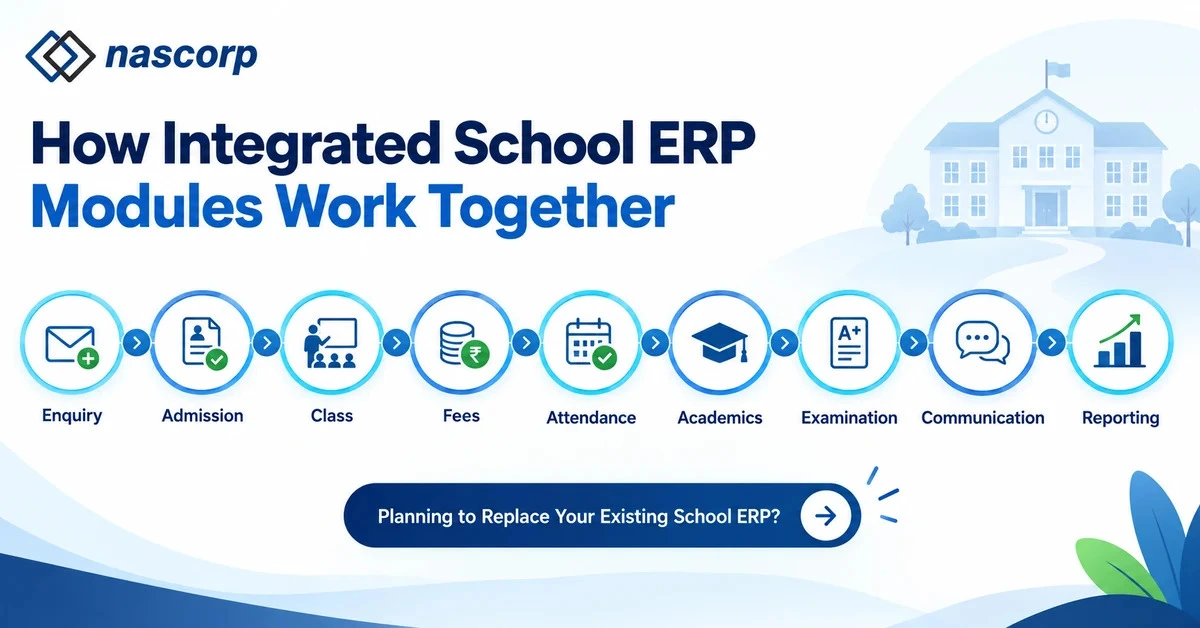
How Integrated School ERP Modules Work Together
The simplest way to evaluate integration is to follow a real student journey. Instead of asking a provider to open modules individually, request a workflow-based demonstration.
| Stage | Activity inside the ERP | Connected outcome |
|---|---|---|
| Enquiry | Prospective-student details are recorded |
Admission team can track follow-ups |
| Admission | Application, documents and payment are verified |
Confirmed student profile is created |
| Class allocation | Class, section and roll number are assigned |
Student appears in academic and attendance records |
| Fee assignment |
Applicable fee structure and optional charges are selected |
Student ledger and payment schedule are prepared |
| Attendance | Teacher records presence or absence | Registers, dashboards and parent alerts are updated |
| Academics | Homework, assessments and marks are recorded |
Progress information becomes available |
| Examination | Results are reviewed and finalized | Report card is generated from approved data |
| Communication | Notices and academic updates are published |
Parents and students receive relevant information |
| Reporting | Data from departments is consolidated |
Management receives actionable school MIS |
This flow illustrates centralized student information management. The same approved student identity moves through the relevant processes while permissions control who can view or update each type of information. The school should test changes as well as new entries. For example, ask what happens to attendance, fees, transport and reports when a student changes section or leaves the school.
Planning to Replace Your Existing School ERP?
Integrated School ERP vs Separate Software
Schools sometimes select separate applications because each appears inexpensive or specialized. The total operational cost, however, includes repeated work, reconciliation, staff training, inconsistent support and delayed reporting. The following comparison can help decision-makers examine the difference.
| Evaluation point | Separate applications | Integrated School ERP |
|---|---|---|
| Student information | Often entered in multiple systems |
Maintained through a centralized profile |
| Department coordination |
Depends on manual sharing | Workflows can pass approved information automatically |
| Fee and student records |
May require reconciliation | Transactions remain linked with student accounts |
| Attendance communication |
Exported or shared separately | Alerts and reports can use recorded attendance |
| Examination workflow |
Marks and report cards may use different tools |
Assessments, results and report cards stay connected |
| Parent experience | Multiple apps or communication channels |
Unified access through portal or mobile app |
| Management reporting |
Reports collected from departments |
Consolidated dashboards and MIS reports |
| User permissions | Managed separately in every application |
Central role-based access can be configured |
| Multi-branch visibility | Different databases or spreadsheets |
Authorized branch-wise and consolidated reporting |
| Support | Multiple vendors and response processes |
One implementation and support framework |
Features to Check Before Buying an Integrated School ERP
Module Configuration and Customization
Every school has different fee structures, approval rules, assessment patterns, report-card formats and communication policies. Ask which requirements can be configured by authorized school users and which require development by the provider. The quotation should clearly explain whether required customization is included, chargeable or unavailable.
Parent, Student, Teacher and Management Mobile Apps
If mobile applications are part of the requirement, test the actual apps during the demonstration. Check whether parents can view fees, receipts, attendance, homework, notices, schedules and report cards. Confirm whether Android and iOS apps, school branding, updates and app-store publishing are included in the commercial proposal.
Data Migration and Implementation
Schools replacing spreadsheets or an existing ERP should request a documented migration process. The provider should first inspect the source data, identify duplicates or incomplete records and conduct a sample migration. A realistic implementation plan should define data preparation, configuration, verification, training, go-live and post-launch support.
Training and Technical Support
Different users require role-specific training. Teachers may need attendance and marks-entry training, while accounts staff require detailed fee and reporting guidance. Ask how training is delivered, how many sessions are included, how new employees will be supported and which channels are available for technical assistance.
Security, Permissions and Data Ownership
The ERP should support role-based access, secure authentication, backups and controlled reporting. Schools should confirm who owns the institutional data, how it can be exported and what access is available when the contract ends. These terms should be documented before implementation.
Security, Permissions and Data Ownership
The ERP should support role-based access, secure authentication, backups and controlled reporting. Schools should confirm who owns the institutional data, how it can be exported and what access is available when the contract ends. These terms should be documented before implementation.
Scalability and Multi-Branch Management
A School ERP for large schools or a School ERP for multi-branch schools should be evaluated under realistic data volumes and user roles. Management may require branch-specific configurations as well as consolidated reports. Ask whether new branches, academic sessions, students and concurrent users affect pricing or performance.
Questions to Ask During a School ERP Demo
| Question | Why it matters |
|---|---|
| Can you demonstrate our admission-to-report-card workflow? |
Tests real integration instead of isolated features |
| Which modules are included in the quotation? | Prevents uncertainty about future costs |
| Can existing student, fee and academic data be migrated? |
Protects operational continuity |
| Which mobile apps are included? | Clarifies parent, student and staff access |
| Can roles and permissions be configured? | Protects sensitive academic and financial information |
| Can reports be customized and exported? | Supports management and compliance requirements |
| How are training and support delivered? | Reduces adoption and implementation risk |
| Can the ERP manage multiple branches? | Confirms future scalability |
| What happens to our data if we change providers? |
Establishes ownership and exit readiness |
| Can we receive a requirement-based demo? | Makes the evaluation relevant to the school |
Who Should Consider a School ERP with Integrated Modules?
This type of platform may be suitable for private schools, CBSE schools, institutions with approximately 1,000 or more students, multi-branch school groups and schools replacing an outdated ERP. It can also help institutions moving from spreadsheets when their main objective is to reduce repeated data entry and create reliable reports across departments. The final configuration should be based on student strength, number of branches, existing processes, required integrations and the school’s implementation timeline.
Smaller schools do not necessarily need every module from the first day. A phased implementation may begin with admissions, student records, fees, attendance, examinations and communication, followed by transport, library, HR, payroll or other modules. Schools should ask whether modules can be added later without creating a separate database or disrupting existing workflows.
Request a Requirement-Based School ERP Demonstration
A generic presentation can show the interface, but it may not answer whether the system can support your school’s actual workflow. Before requesting a demo, prepare basic information such as approximate student strength, number of branches, current software, required modules, mobile-app requirements, data-migration needs and expected implementation timeline. This helps the provider demonstrate relevant processes and prepare a clearer module-wise quotation.
See How All ERP Modules Work Together
Request a personalized walkthrough covering admission, student profiles, classes, fees, attendance, examinations, report cards, communication and management reporting. Use one complete student workflow to verify whether data moves correctly between departments.
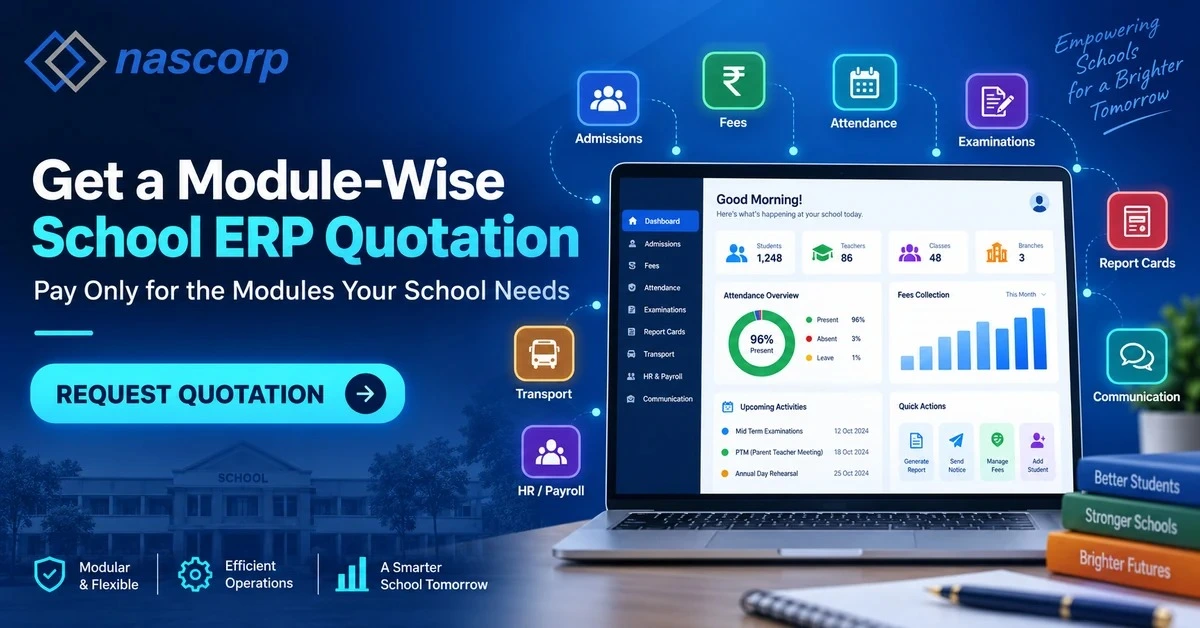
Get a Module-Wise School ERP Quotation
Ask for a written proposal that separately identifies included modules, setup, customization, mobile apps, migration, training, support, messaging charges, payment-gateway costs and renewal terms. A transparent comparison helps management evaluate the total cost instead of choosing only by the starting price.
Planning to Replace Your Existing ERP?
Request a sample data-migration assessment and a phased implementation plan. Switching systems should include data verification, user training and a realistic go-live process designed to minimize disruption to admissions, fees, attendance and examinations.
Evaluate the ERP Using Your School’s Actual Workflow
The strongest buying decision comes from testing the platform against practical school processes. Request a requirement-based demonstration and involve representatives from administration, academics, accounts, IT and management so that each team can verify the functions it will use.
Get a Module-Wise School ERP Quotation
Frequently Asked Questions
What is a School ERP with integrated modules?
It is a centralized school management platform in which operational areas such as admissions, student records, fees, attendance, examinations, communication, transport, HR and reporting share authorized information and support connected workflows.
Can a school select only the modules it requires?
Module availability and commercial terms vary by provider. Schools should request a module-wise proposal and confirm whether additional modules can be activated later without moving to a separate system.
Can an integrated ERP migrate data from existing software?
Migration may be possible after the provider reviews the existing data structure, completeness and format. Schools should request a sample migration and verify critical records before the final transition.
Does an integrated School ERP include mobile apps?
Many platforms offer parent, student, teacher or management apps, but their features, branding, platform availability and charges can differ. These details should be checked during the demonstration and documented in the quotation.
How can schools compare integrated ERP providers?
Compare providers using the same requirement list and real workflows. Review usability, integration, configuration, data migration, mobile access, security, reporting, training, support and total long-term cost.
Can one ERP manage multiple school branches?
A multi-branch ERP may provide branch-specific operations and consolidated management reporting. Schools should verify permissions, separate configurations, centralized student data and branch-wise commercial terms before selection.
Final Decision
A School ERP with integrated modules should make information move through the institution as smoothly as the school’s real operational process. Its value lies in connecting people, departments and decisions—not simply in offering a long feature list. Schools should evaluate complete workflows, test the mobile experience, review reports, confirm migration and support commitments and request a transparent module-wise quotation.
When the platform is correctly configured and adopted, an integrated school management solution can reduce administrative repetition, improve parent communication and give management timely information. The most useful next step is a requirement-based demonstration built around the school’s actual student lifecycle, departments and reporting needs.


