Get a School ERP Quotation Based on Your Requirements
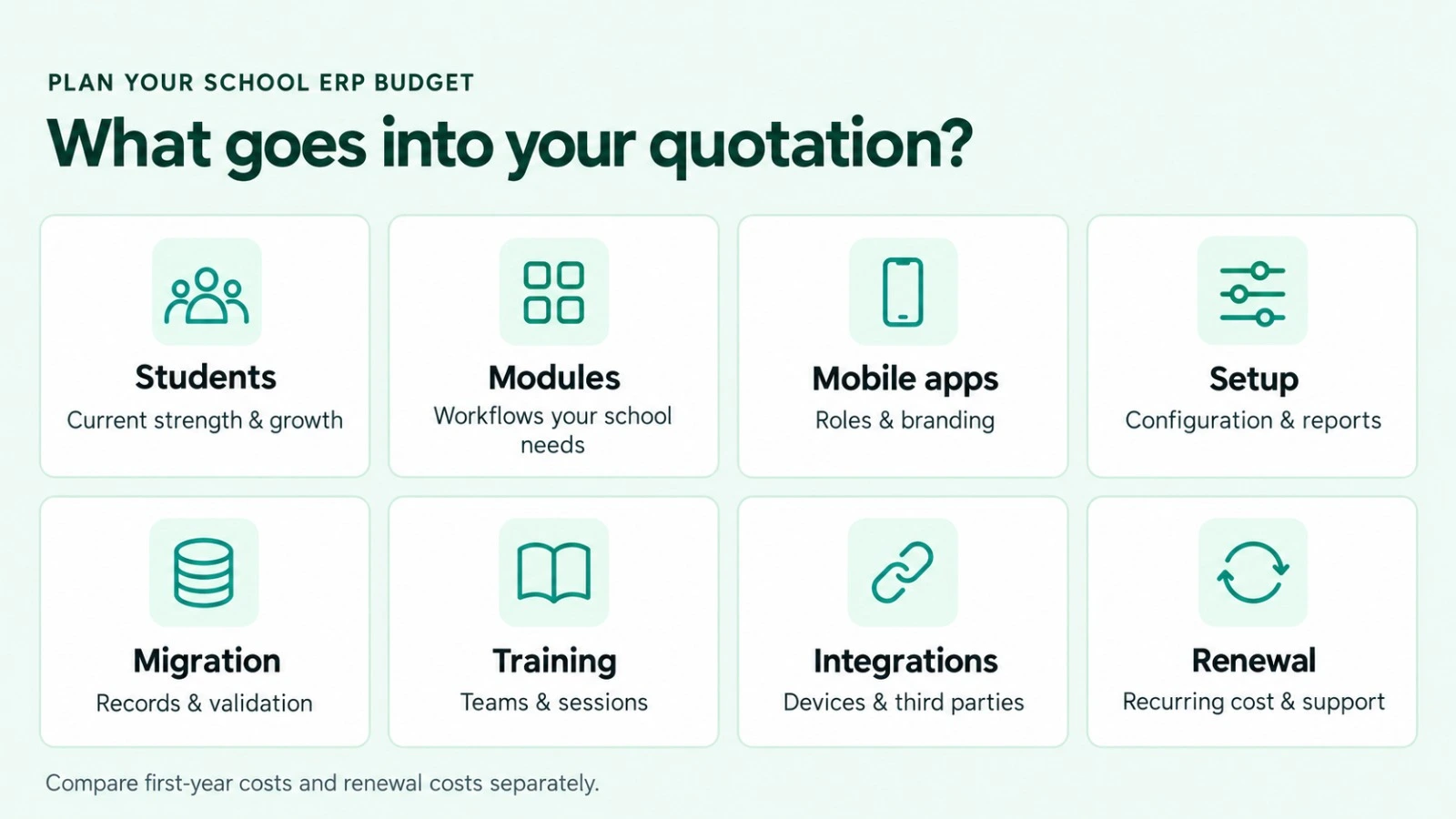
Planning your school’s software budget? Understand what your quotation covers before choosing a School ERP. The total school ERP software cost can vary with student strength, required modules, mobile applications, implementation work and integrations.
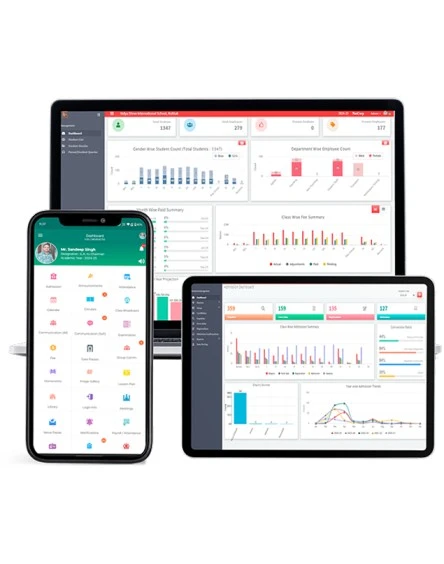
Nascorp offers integrated School ERP software and mobile apps that simplify academic, administrative and financial management for schools. Share your requirements to discuss a suitable solution and request a school-specific quotation.
A useful price comparison starts with the complete scope. Two quotations may look similar while covering different modules, services and renewal terms. Ask for both the first-year total and the expected recurring cost.
Before finalising your budget, identify the number of students and campuses, the workflows you need to manage, your existing records and the support your staff will require.
For Nascorp pricing, request a written quotation for your school. Confirm the applicable billing model, charges and inclusions directly with the team.
What Affects School Management Software Price?
Cost factor
What to discuss before requesting a quote
Student strength
Current enrolment, expected growth and any applicable student limits
Campuses and branches
Number of locations and central reporting requirements
Required modules
Essential workflows and optional modules
Mobile applications
Required parent, teacher and management access; branding requirements
Setup and configuration
Fee structures, academic sessions, permissions and report formats
Data migration
Source files, historical years, records and validation scope
Staff training
Departments, sessions, delivery method and refresher requirements
Integrations
Payment gateway, messaging, accounting, devices and transport integrations
Customisation
Changes beyond standard configuration
Renewal and support
Recurring fees, support scope and future price terms
The most useful school management software price is the price for the functionality your school will actually use.
School ERP Cost Per Student: How to Compare Quotes
Some providers quote per student, while others use annual packages or module-based charges. Ask which model applies to your proposal.
To compare different offers, calculate:
Effective annual cost per student = Total annual ERP cost ÷ Number of students covered
Calculate the first-year figure separately if it includes one-time setup, migration or training fees. Then compare the renewal-year figure.
For example, an annual cost of ₹60,000 for 600 students works out to ₹100 per student per year. This is an illustration, not an actual price quotation. This is a budgeting example, not a Nascorp price or offer.
Check student limits, minimum billing commitments, growth charges and whether mobile apps and support are included before comparing the school ERP cost per student.
Choose the School ERP Modules You Need
Start with your operational priorities and request a module-wise scope.
Admissions and student records:
Discuss enquiry tracking, applications, registration, student profiles and document requirements.
Fees and online payments:
Review fee structures, concessions, receipts, outstanding reports, reminders and payment workflows. Explore school fee management software.
Attendance and academics:
Identify attendance, homework, timetable and academic reporting needs.
Examinations and report cards:
Discuss assessment patterns, marks entry, grading and report-card formats.
Discuss transport, HR, payroll, library, inventory and management reporting as required.
Explore Nascorp School ERP software and modules before preparing your requirement list. Your quotation should clearly specify the included modules and those available as optional additions.
Setup, Migration and Training Costs
Software subscription and implementation are separate items to clarify in a proposal.
For setup, ask what configuration is included and whether additional reports or workflow changes are chargeable.
For migration, define the records, formats and academic years involved. Ask how sample data will be imported, checked for accuracy and corrected if needed. Schools replacing an existing system can discuss School ERP implementation and data migration support.
For training, confirm the number of sessions, departments covered and delivery method. Accounts staff, teachers and administrators may need different practical training.
Integrations, Renewal Costs and Additional Charges
Before accepting a school ERP quotation, check whether the following are included, separately billed or paid directly to a third party:
Payment gateway transaction fees.
SMS or other messaging usage.
Biometric, RFID, GPS or other device integrations.
Hardware and installation, where required.
Accounting integrations and custom development.
Onsite visits and additional training.
Applicable taxes.
Annual renewal and support charges.
Data export or exit assistance.
An itemised proposal makes it easier to compare the first-year investment with the ongoing school ERP software cost.
What Should Your School ERP Quotation Include?
Ask for a written breakdown covering:
Modules and features included.
Students, branches and user access covered.
Mobile applications and branding scope.
Setup, migration and training services.
Integrations and third-party charges.
One-time and recurring fees.
Renewal terms, support arrangements and applicable taxes.
Implementation schedule, payment terms and quotation validity.
A quotation is easier to assess after seeing your school’s workflows demonstrated. Ask the team to walk through your priority processes and explain the proposed modules, implementation scope and commercial terms.
For a demo and quotation tailored to your school, share its name, city, student count, number of branches, required modules, existing software and data migration requirements.
There is no single price across providers and school requirements. Compare a written scope covering modules, student strength, implementation, mobile apps, integrations and renewal. Contact Nascorp for a quotation based on your requirements.
Does Nascorp charge per student?
Confirm Nascorp’s applicable billing model directly when requesting your quotation. Do not assume a per-student rate unless the proposal specifies one.
What affects School ERP software cost?
The total cost can vary depending on student numbers, school branches, chosen modules, configuration, data migration, training, integrations and the level of support required.
Are mobile apps included in the quotation?
Ask the team to identify the applications, user roles and branding included in your proposed package. Confirm any separate application charges in writing.
Is data migration included in the price?
Confirm the migration scope and charges in your quotation. The amount of historical data, source formats and validation work should be defined before implementation.List one-time implementation charges separately from recurring renewal fees.
How do I compare annual and per-student pricing?
Compare total annual costs for the same scope, then divide each total by the number of students covered.Show one-time setup costs separately from renewal charges.
Can a school request a demo before selecting the modules?
Yes. Get in touch with Nascorp for a personalized demo to explore the modules that suit your school’s needs.
How can I get a School ERP quotation?
Use the Nascorp demo and quotation enquiry form to share your school’s size, number of branches, required modules, existing system and implementation requirements.